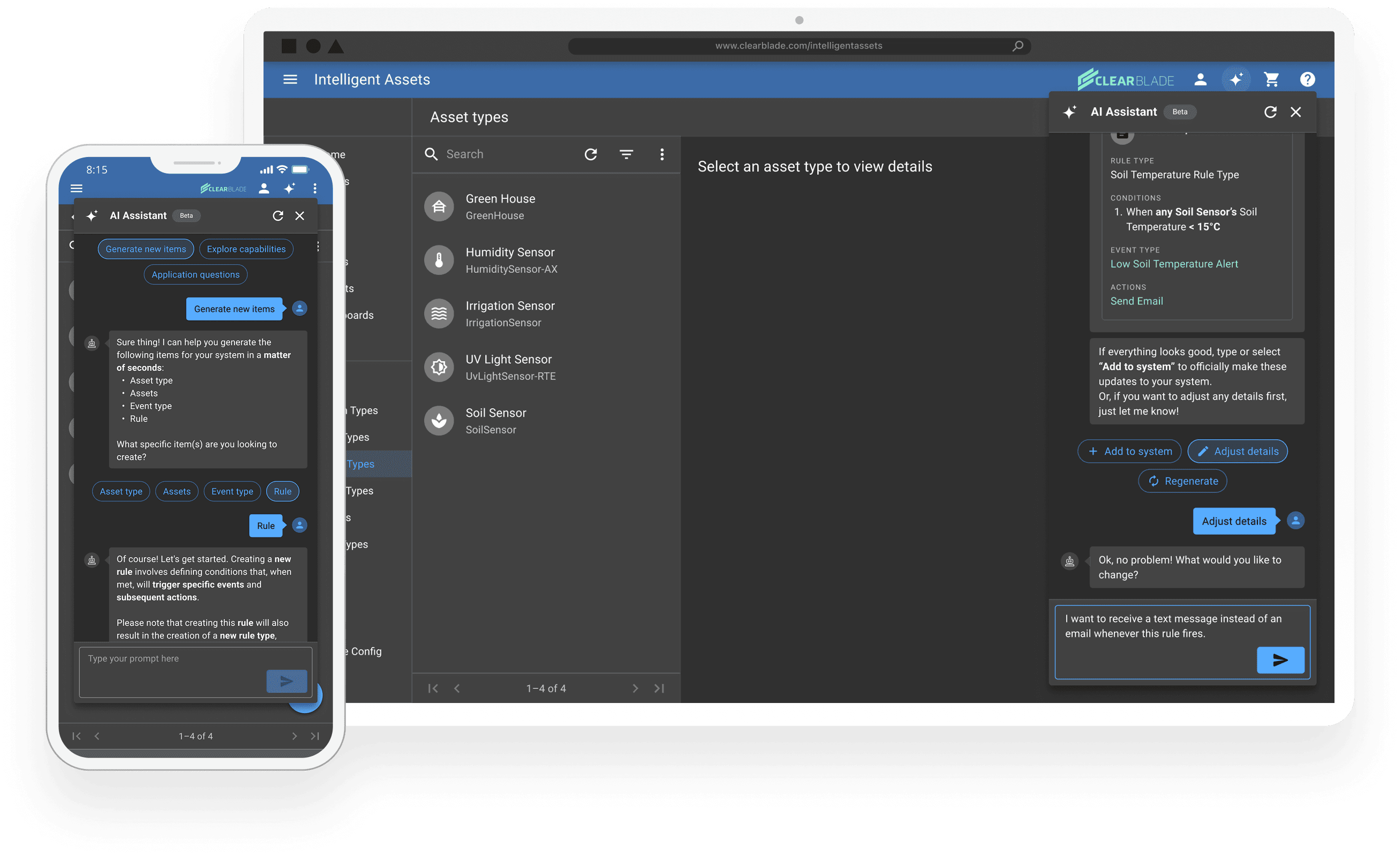
The GenAI Assistant

Leading the design of a conversational AI chatbot that speeds up enterprise system configuration by >200%.

Awards

Winner of the Compass Intelligence "Emerging Tech - AI Chatbot" award


MY ROLE

Lead UX/UI Designer

(Directed all design & content strategy tasks; led all stakeholder collaboration)

TOOLS

Figma, Figam, Figma AI, ChatGPT, Claude AI, Jira, Confluence, Slack, Google Suite, Heurio

TEAM
  • 1 Junior UX/UI Designer

  • 1 AI Full-Stack Engineer

  • 1 AI Back-End Engineer

Timeframe

2 months (Dec 2024Jan 2025)

Solution Overview

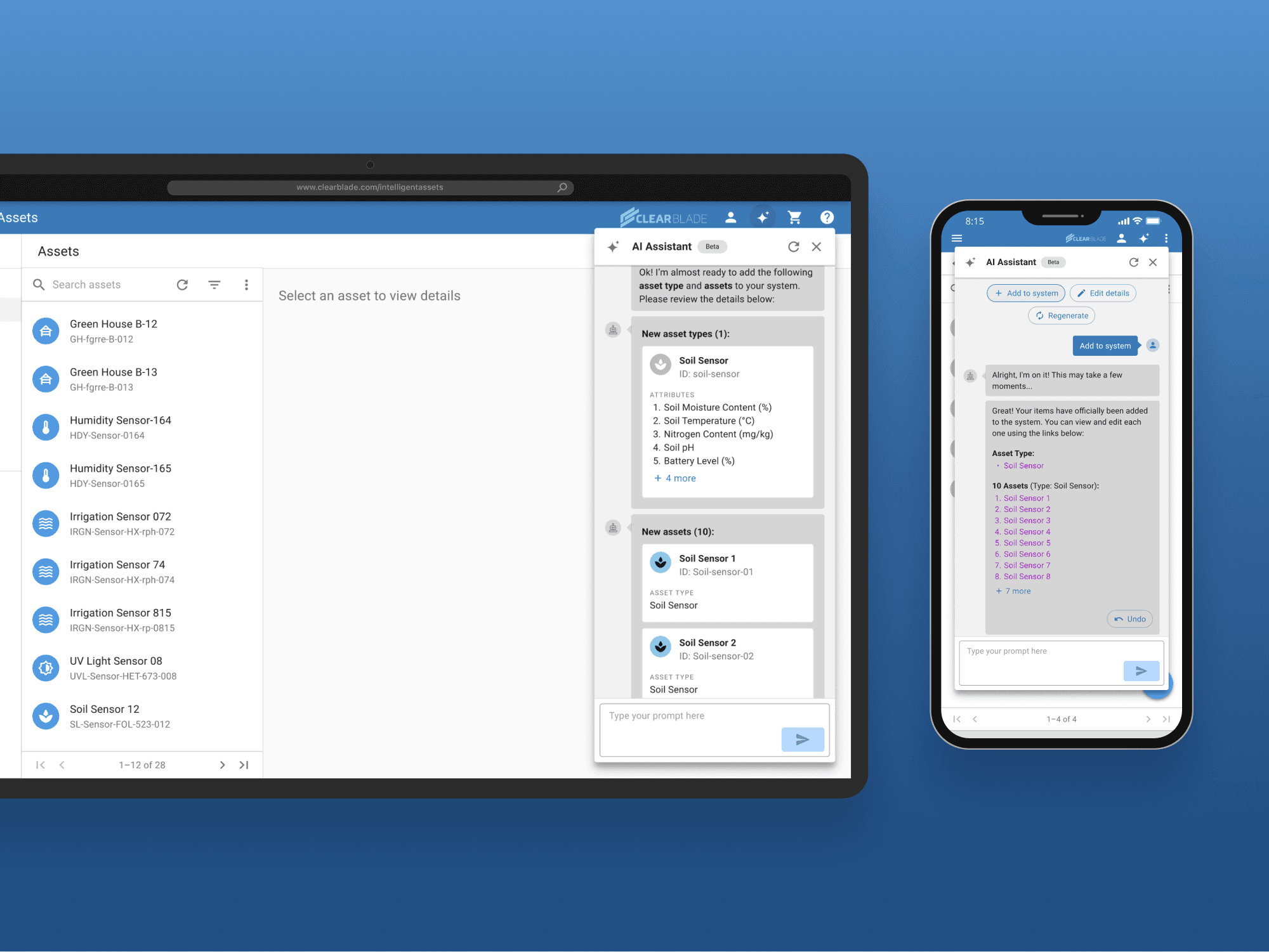
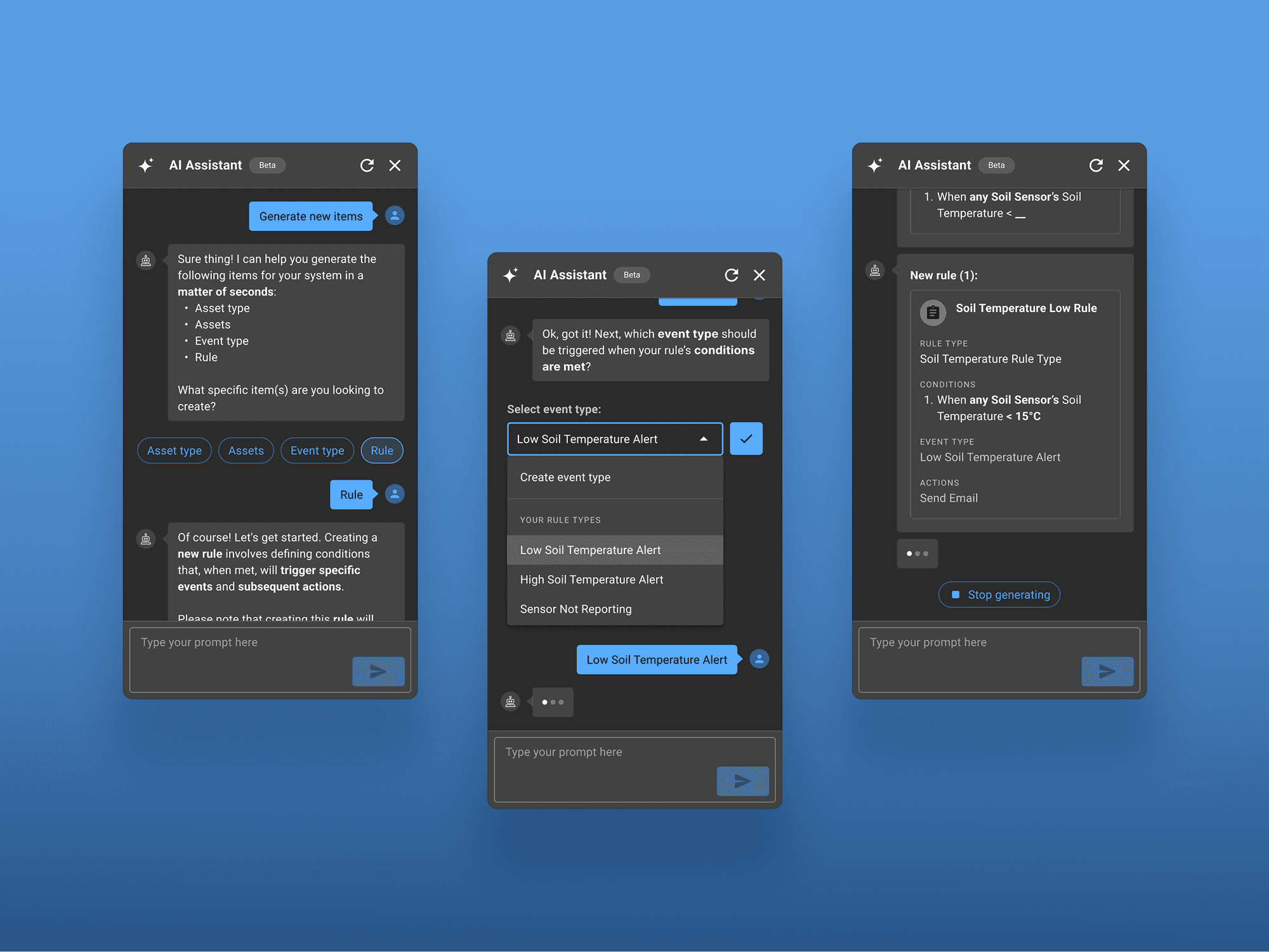
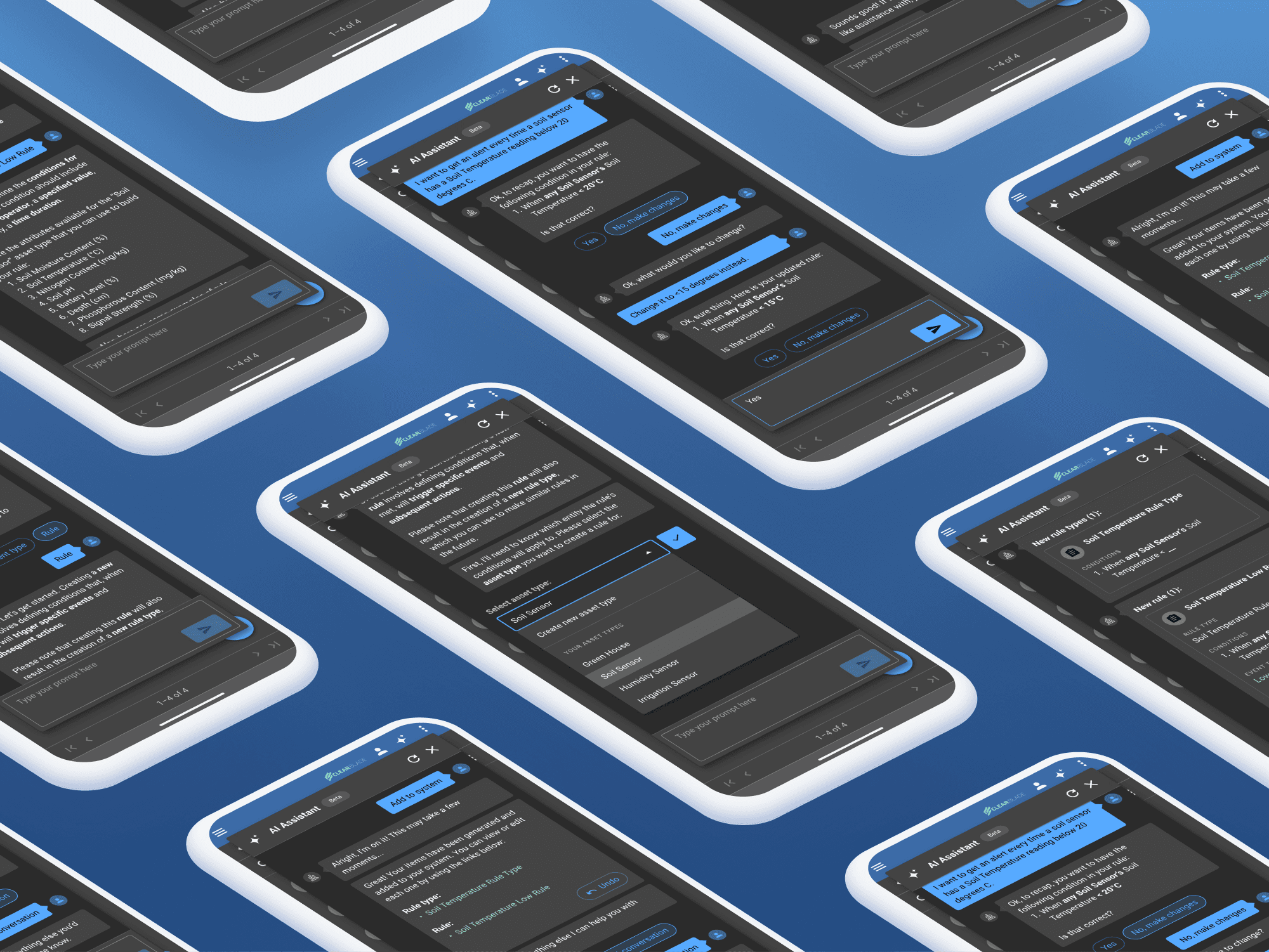
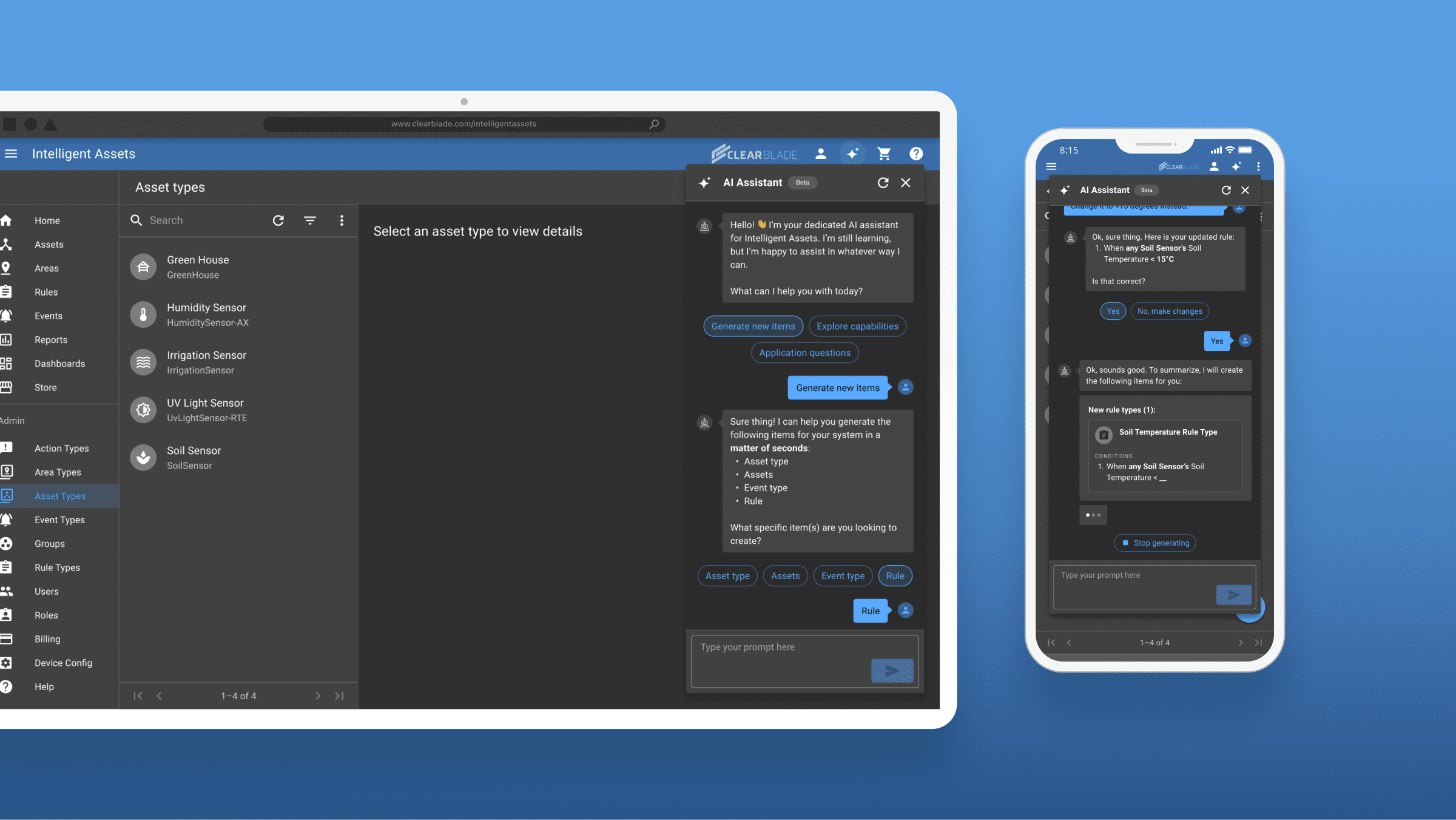
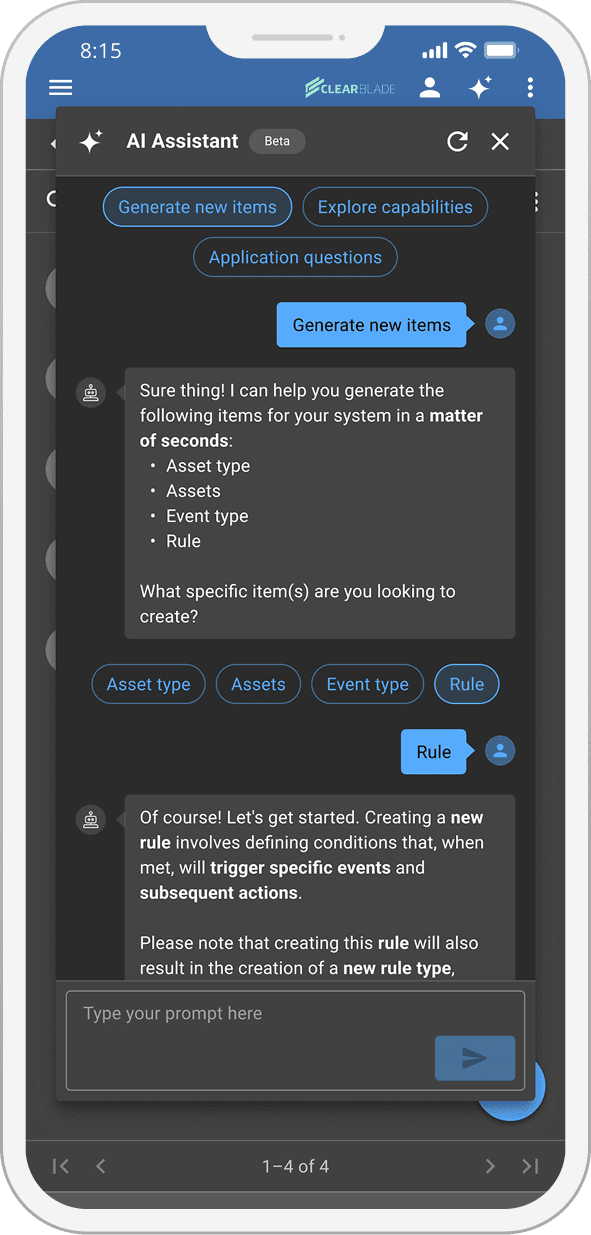
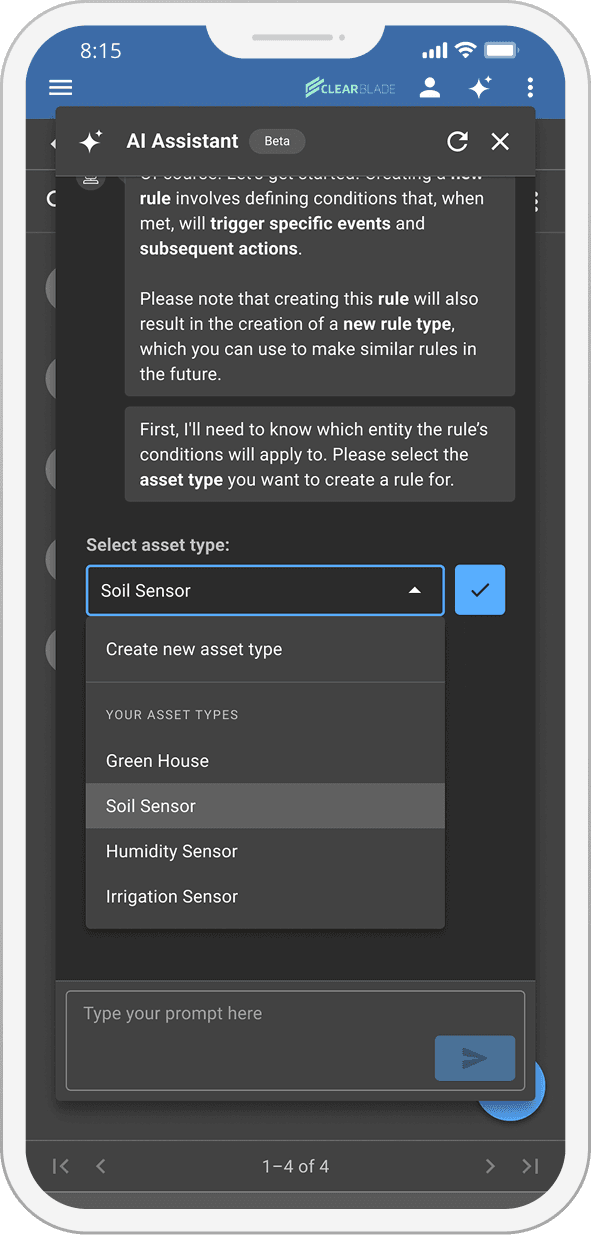
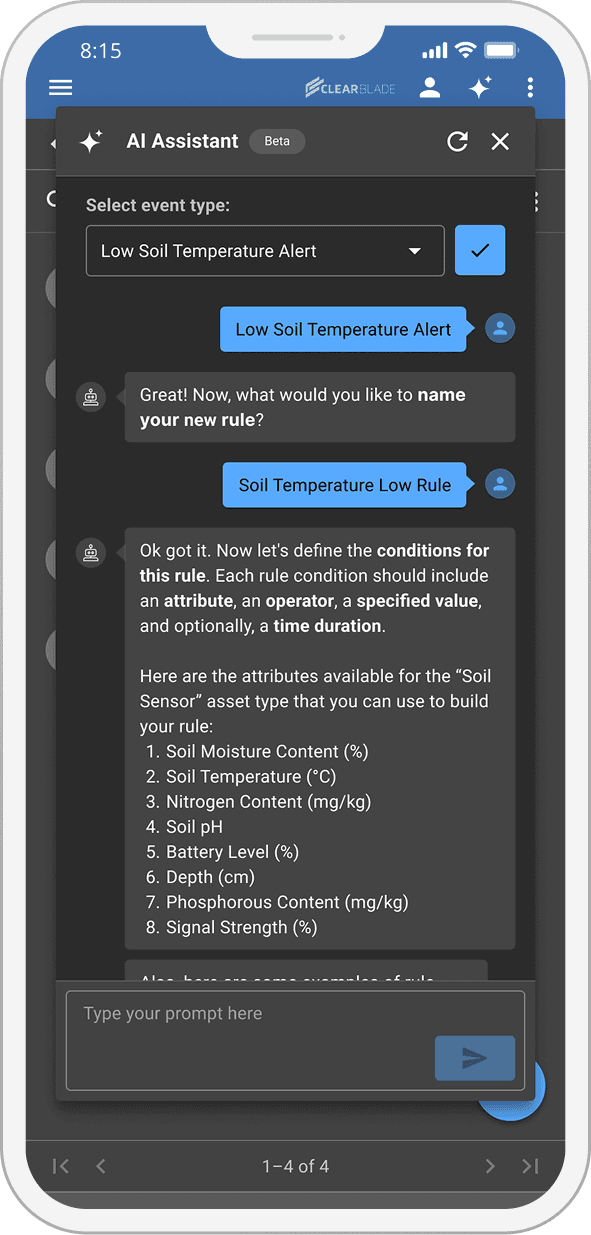
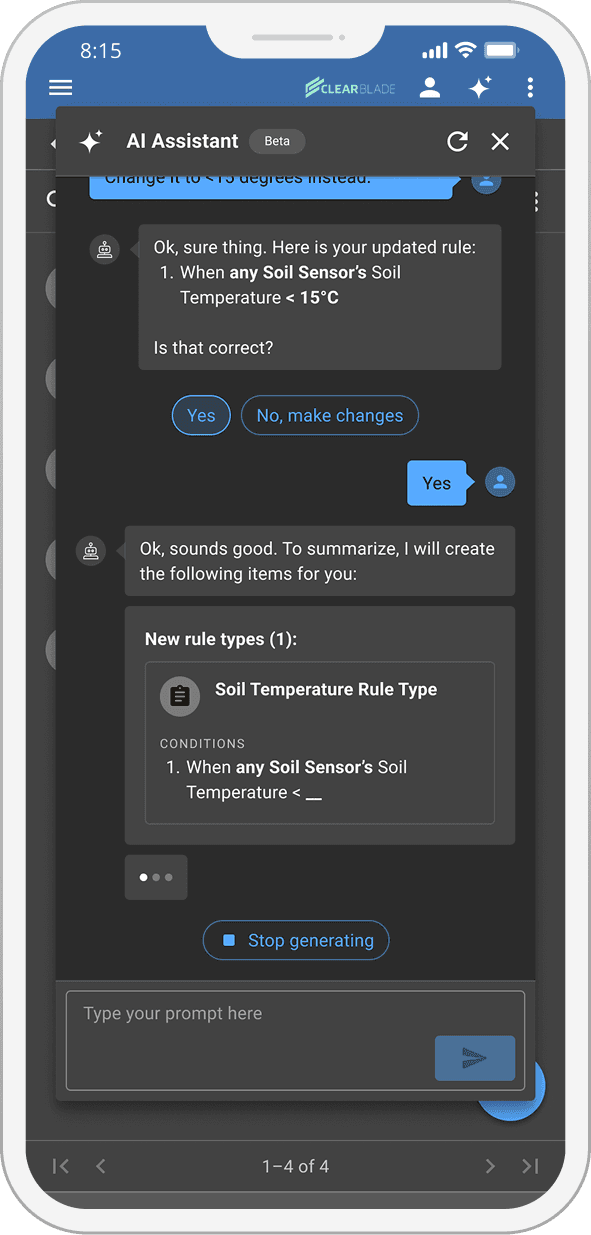
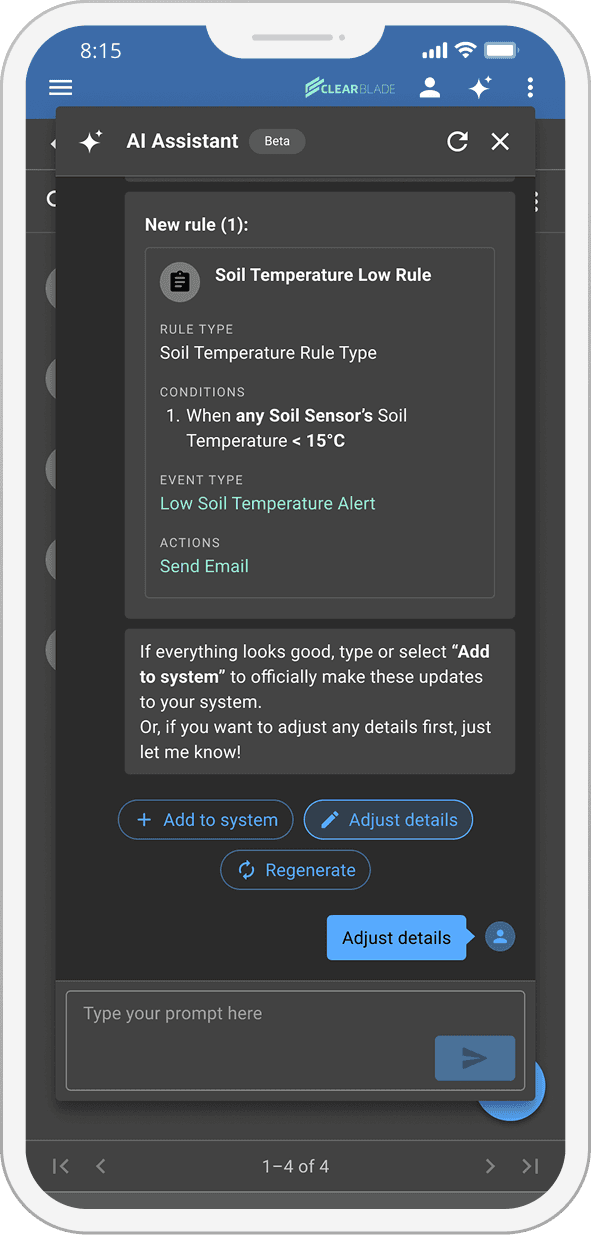
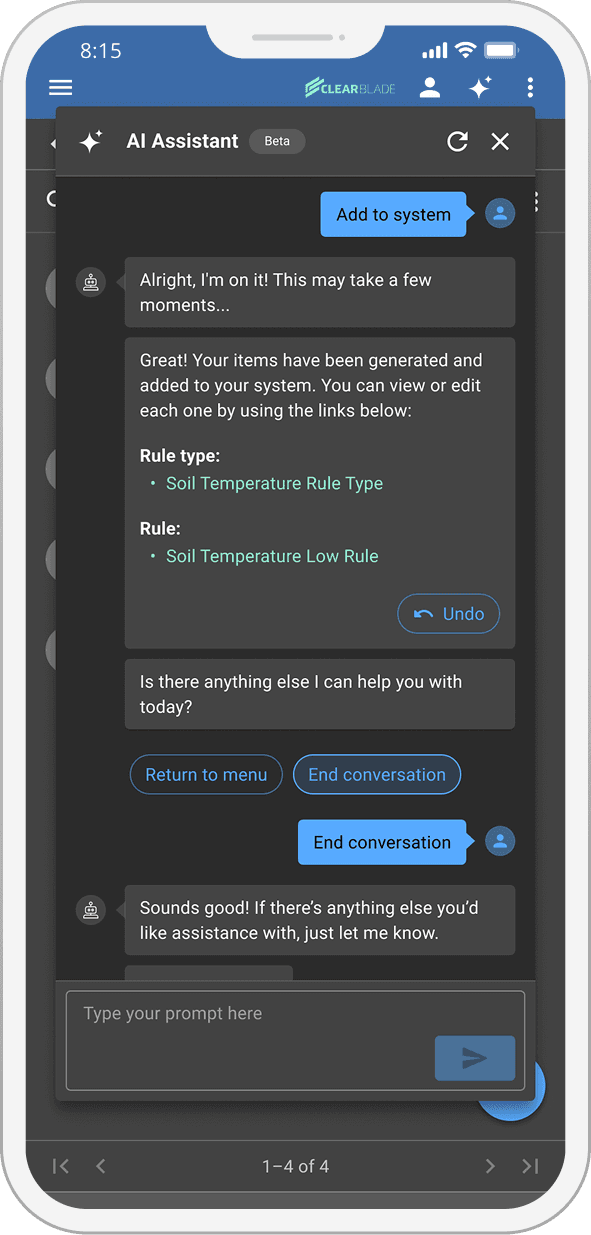
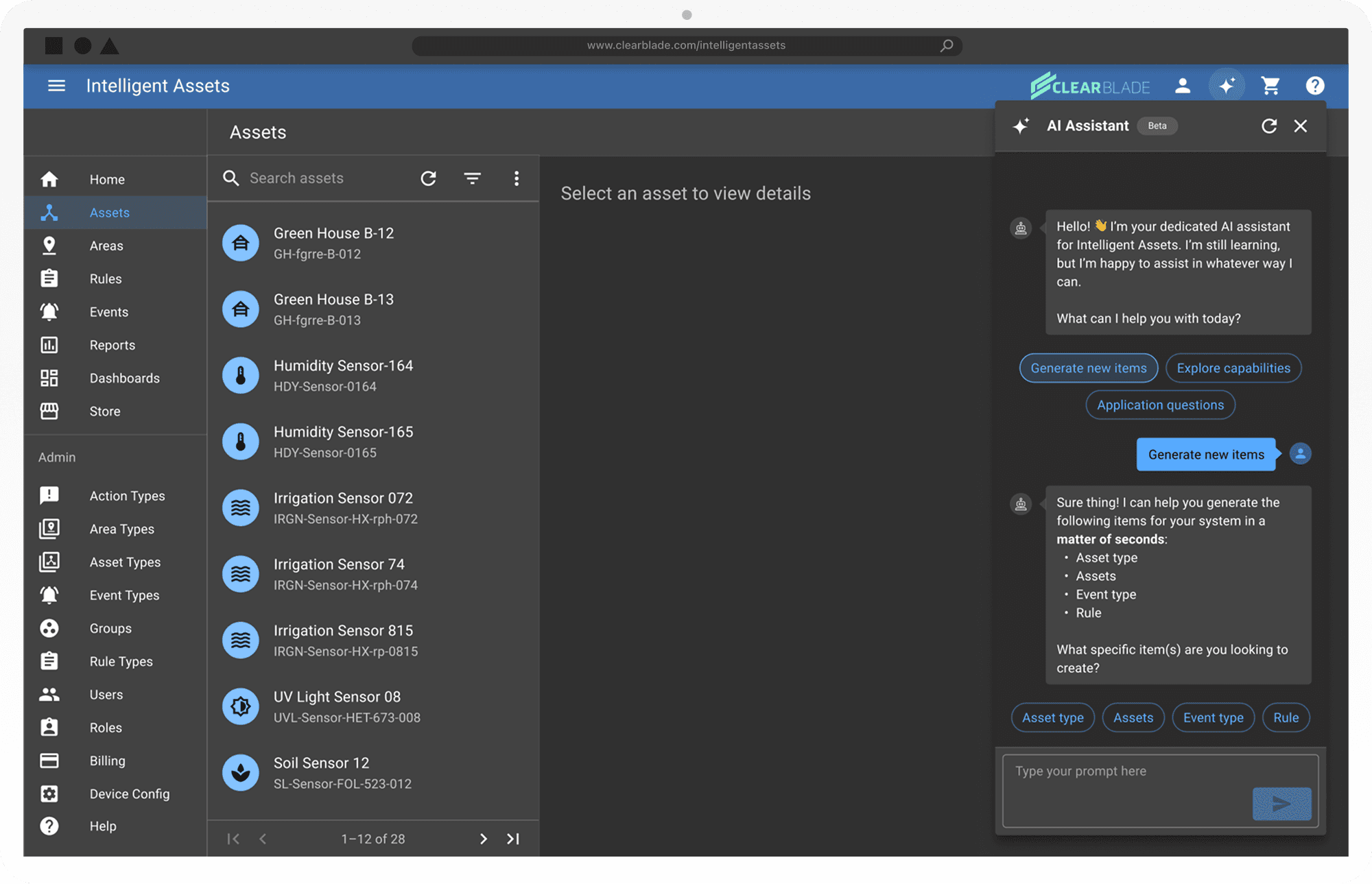
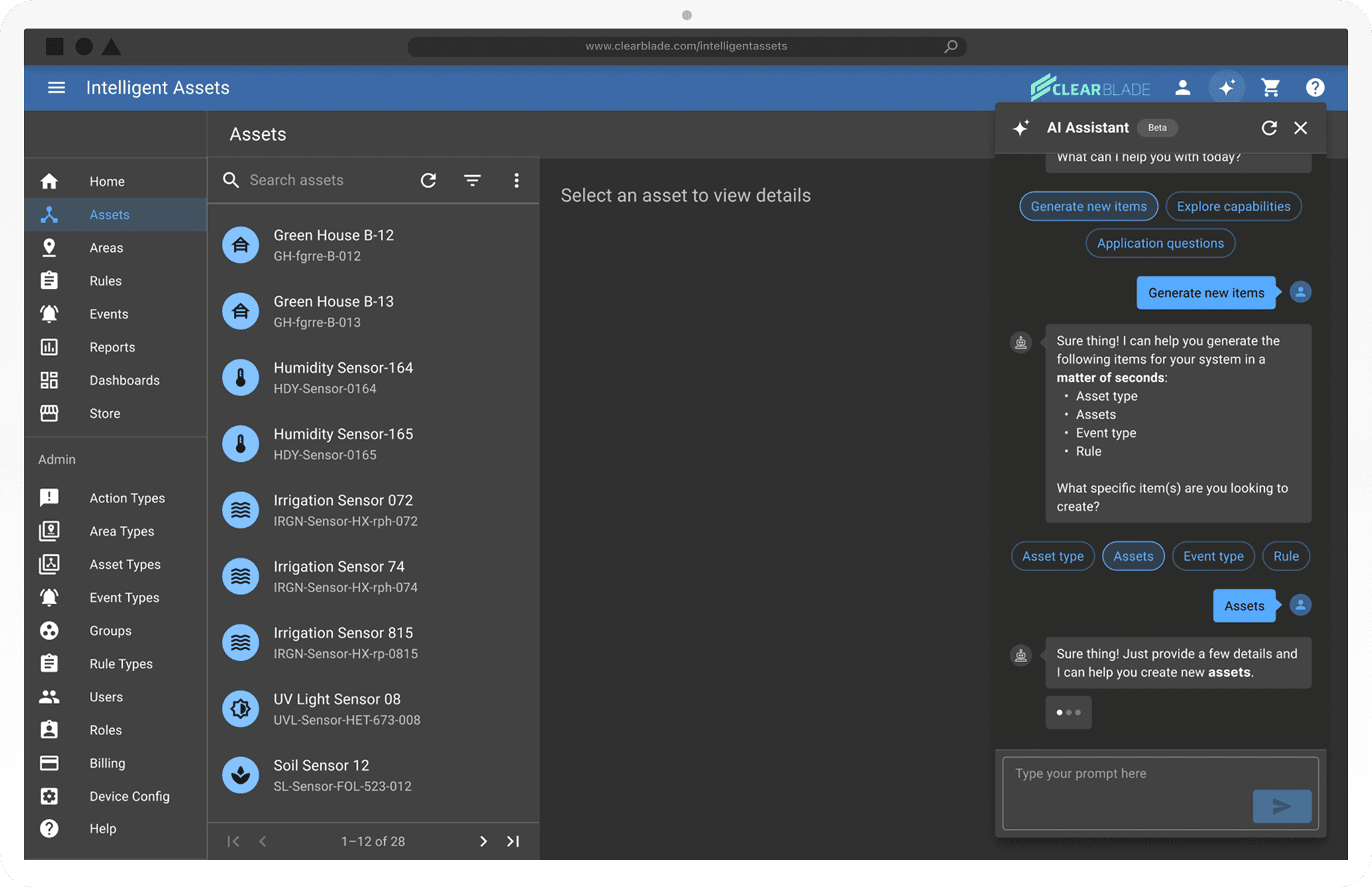
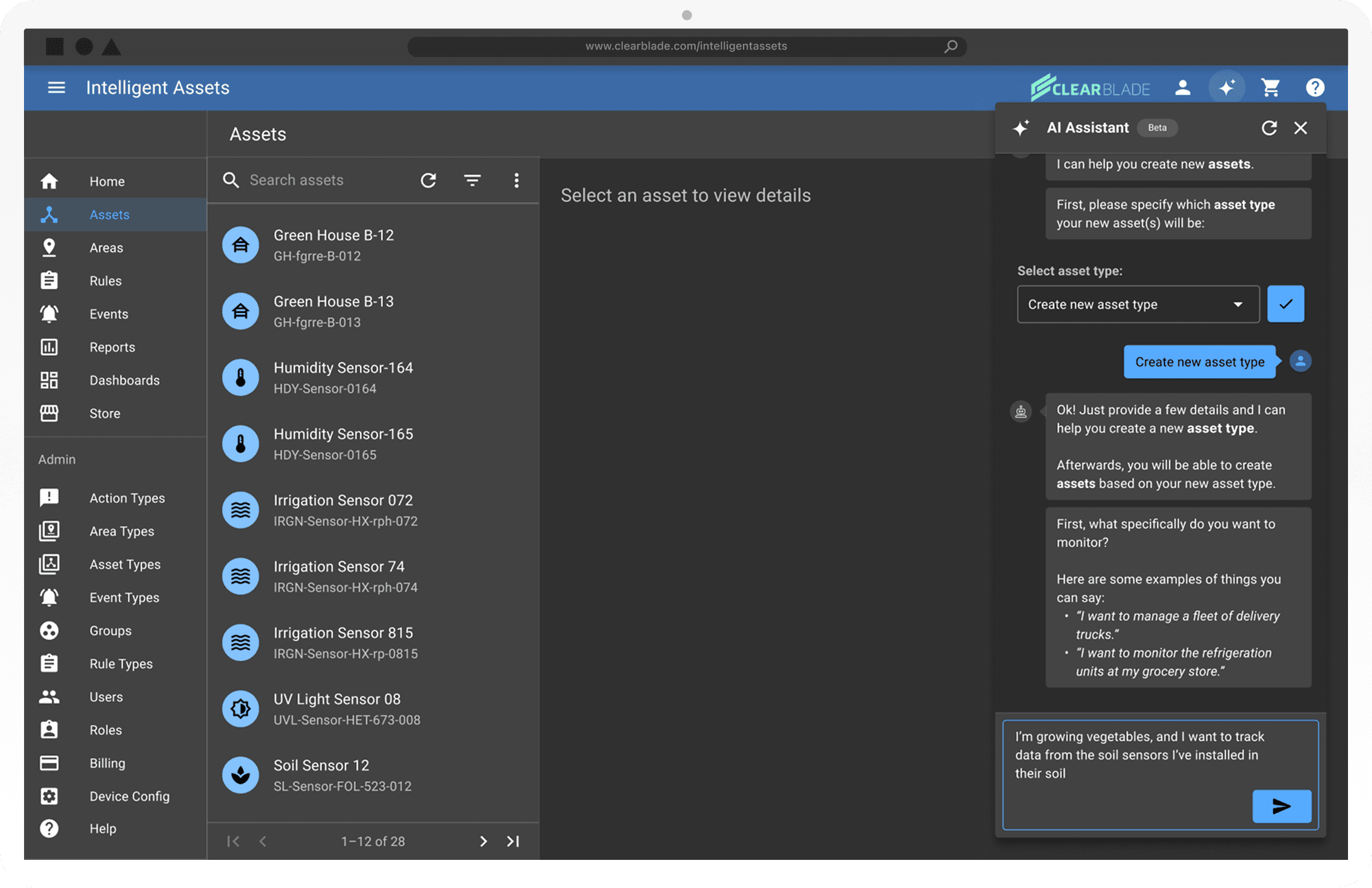
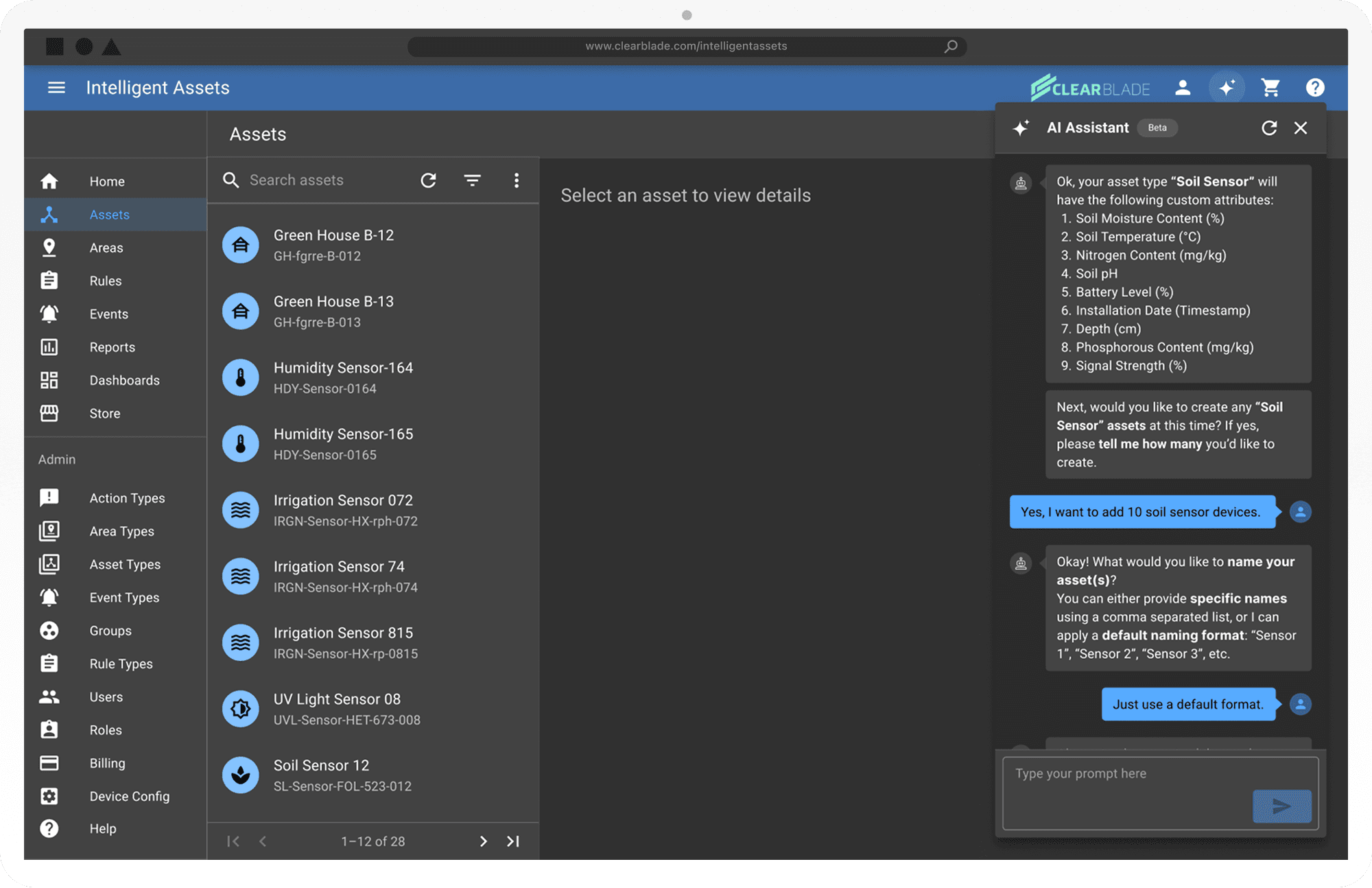
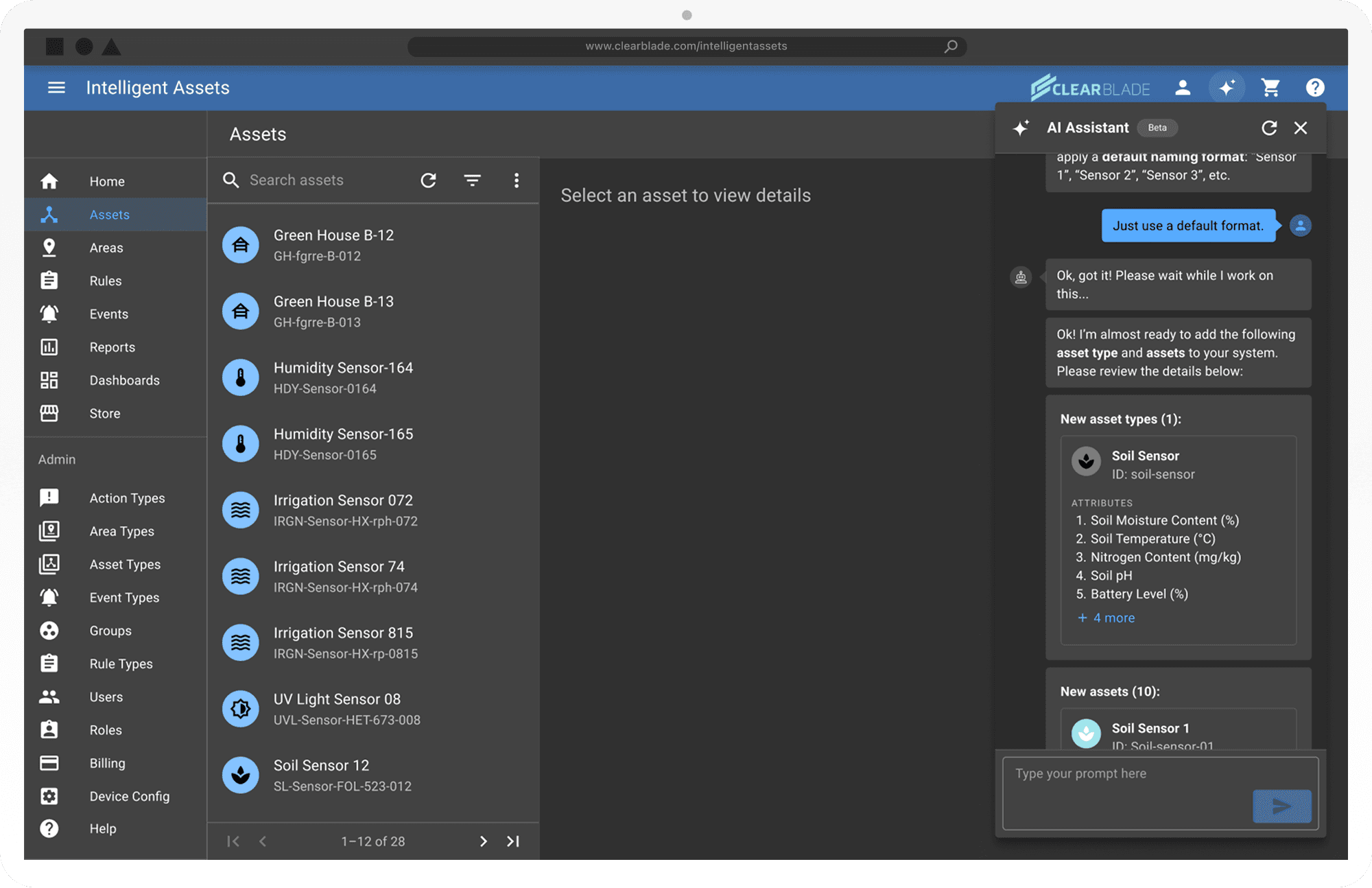
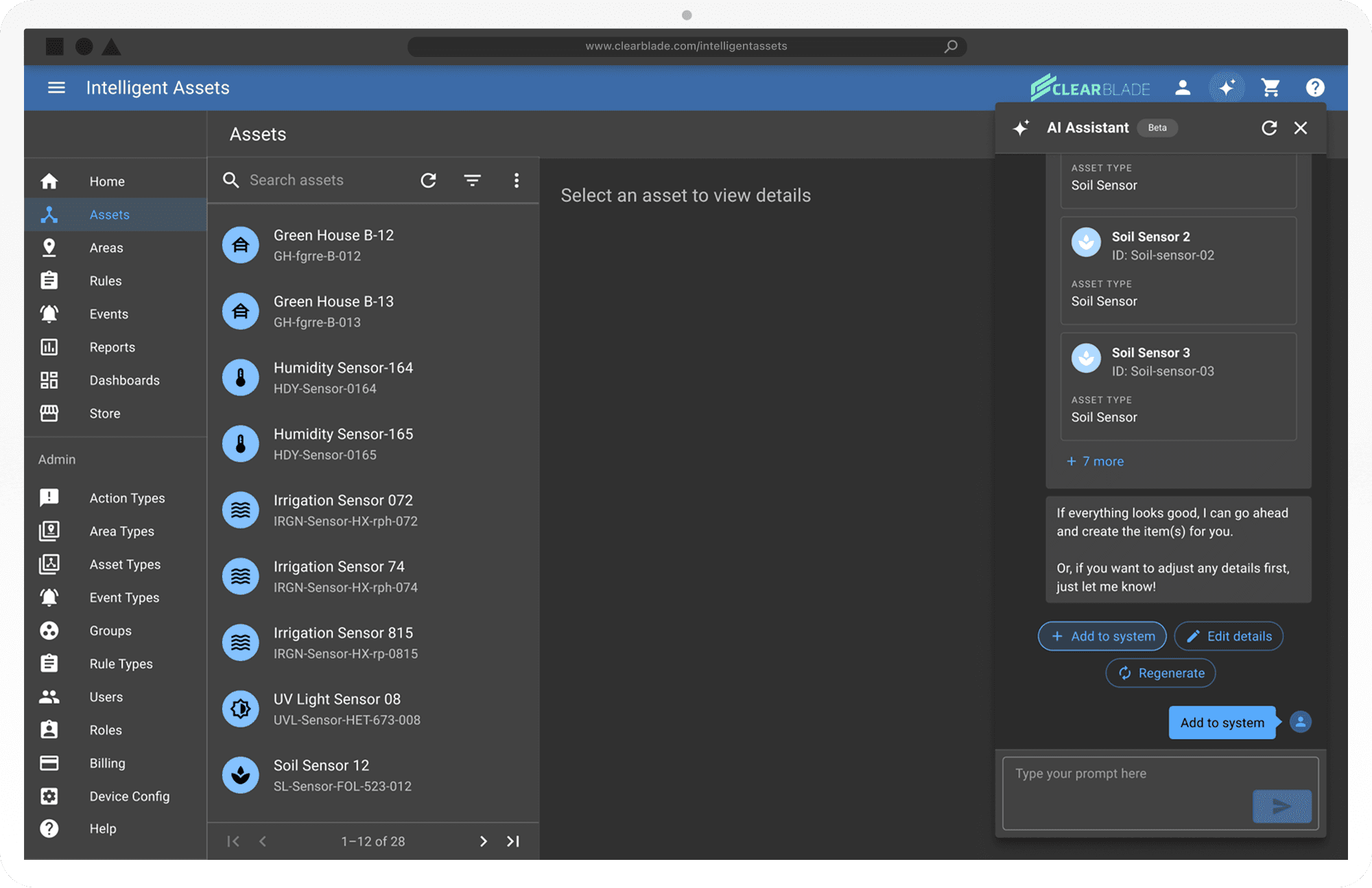
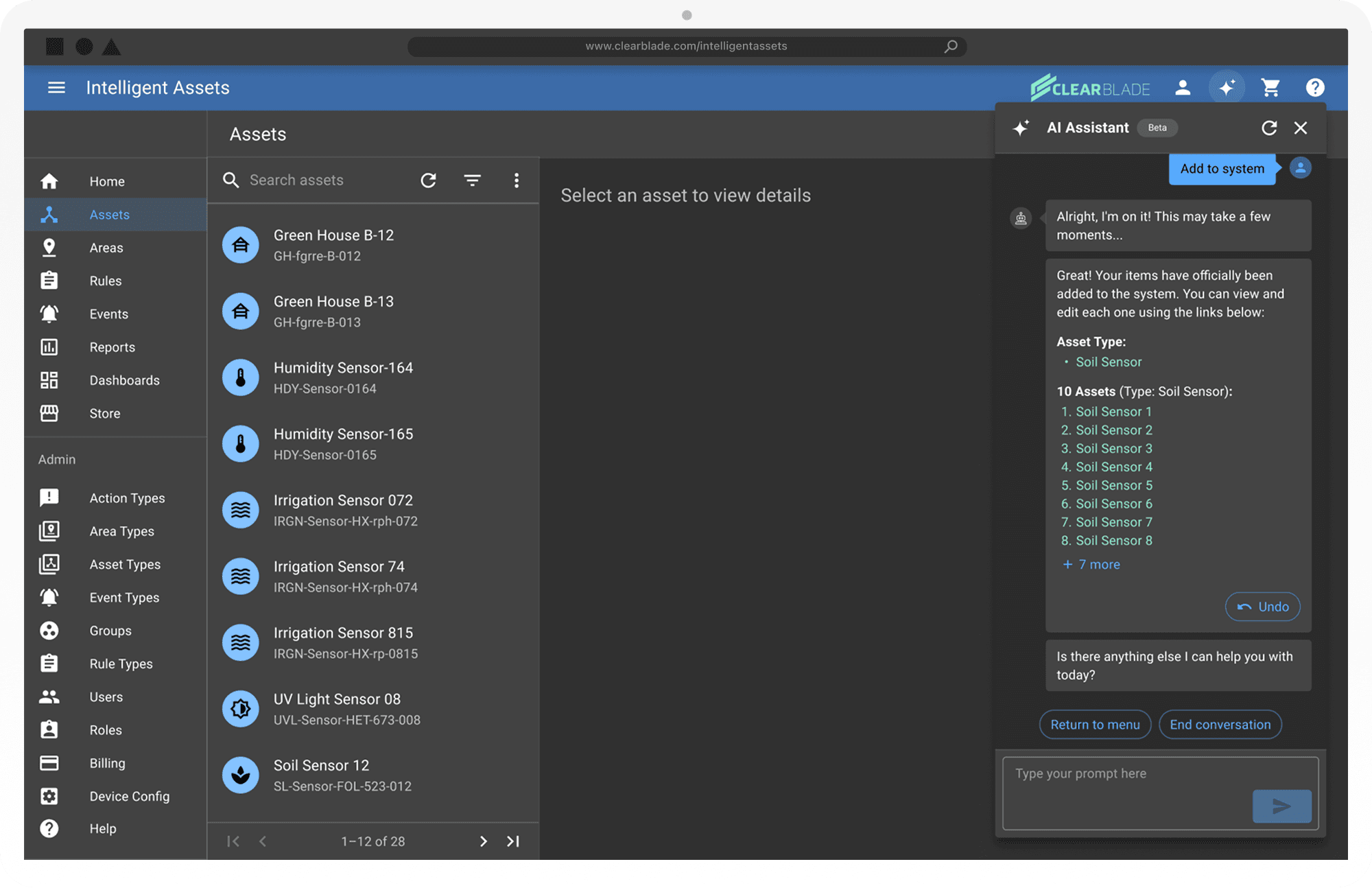
Our final MVP guided users through the process of creating new asset types, rule types, rules, and more through a conversational interface. An LLM (Large Language Model) did most of the heavy lifting under the covers, but on the surface, the user could speak in their own terms and business logic, and the AI Assistant would generate the asset types and corresponding assets on their behalf, even suggesting additional custom attributes they could also track on the new assets, based on the type of asset it was. This reduced not only the time that the user would have otherwise spent manually filling out settings forms, but it also reduced the mental load for the user, since if they had a common use case (such as tracking common metrics like Temperature and Humidity inside a greenhouse), the AI Assistant could fill in the blanks for them without them even having to really ask.


(For 1st Release MVP)

  1. User enters a prompt --> AI Assistant completes the requested task.

  2. AI Assistant can generate the following items upon request:

    1. Asset types

    2. Assets

    3. Event types

    4. Rules (pre-cursors to event types and events)

  3. AI Assistant can also answer general questions about Intelligent Assets.

Saved for Later:

  1. AI Assistant helps with other tasks, such as editing pre-existing components like assets.

  2. AI Assistant functionality is integrated into settings menus, so that users can get forms pre-filled by entering a custom prompt, and then they can go add/edit the pre-filled entries before hitting submit.

See below for the full design process
Background
What is Intelligent Assets?

Intelligent Assets, or "IA" for short (not to be confused with the "AI" that means Artificial Intelligence), is a ready-to-use enterprise-grade SaaS application that can be used across virtually any industry (such as agriculture, manufacturing, aerospace, etc.) in order to monitor equipment at scale.

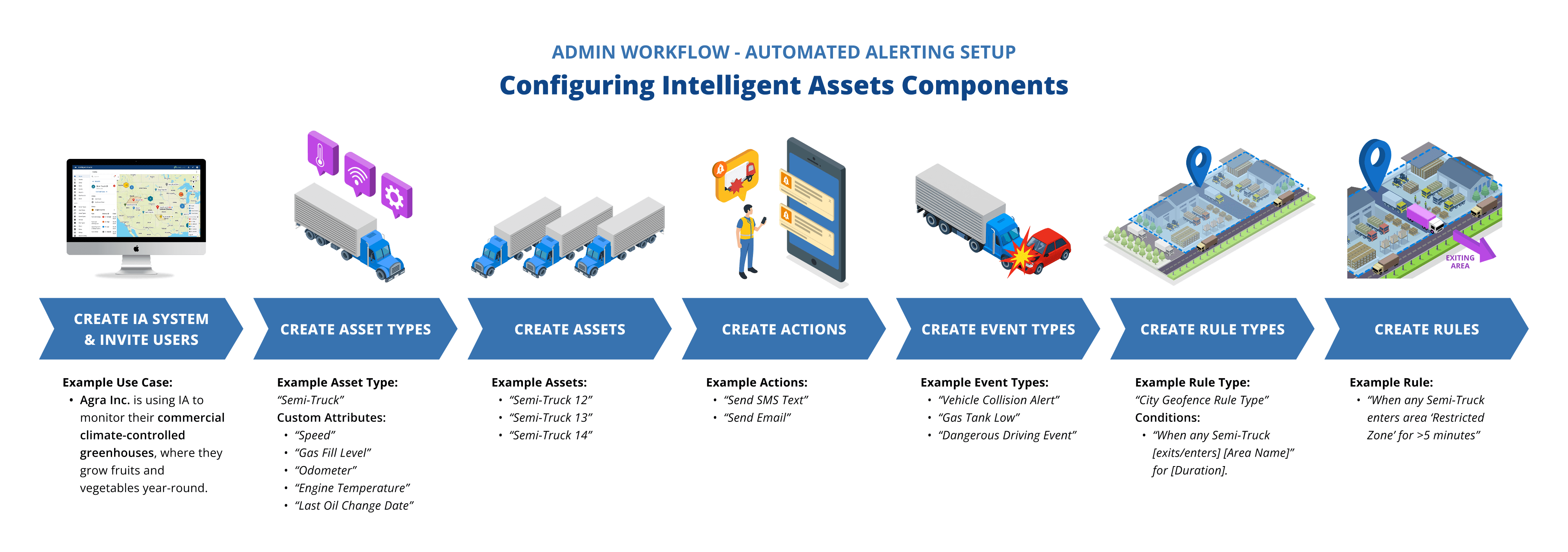
Before end-users can start taking advantage of Intelligent Asset's remote monitoring and automated alerting capabilities, an admin must set up their organization's custom IA system by configuring certain key components, including:

  • Asset Types – Templates that define what kind of thing you're tracking.

  • Assets – the actual physical objects or locations being monitored.

  • Custom Attributes – Specific data that is tracked on each Asset, such as Temperature or Humidity)

  • Rule Types Templates for creating customized Rules that will trigger Events.

  • Rules – Conditional logic that watches for specific thresholds to be crossed.

  • Events Alerts that are created when certain Rules are triggered.

  • Actions – The automated response that should occur when Events are created.

Below is a diagram showing how a standard admin system configuration workflow looks. Essentially, you create each component in the opposite order of an actual "Event lifecycle" (i.e. the process that occurs once an asset triggers an event).

Click to Expand

The Problem
  • Before the AI Assistant existed, getting a new Intelligent Assets system up and running was a slow, frustrating process.

  • Admins had to manually create every component asset types, assets, rule types, events, actions, and more through dense, multi-step settings forms before they could access any of IA's core monitoring and alerting capabilities. Many of these forms were poorly labeled and lacked contextual guidance, leading to task abandonment and heavy reliance on ClearBlade's internal Services Engineering team to complete setup on the customer's behalf. This created a bottleneck that cost customers additional service hours and made independent configuration during production difficult running counter to IA's long-term vision of empowering end-users to manage their own systems.

  • Before the AI Assistant existed, getting a new Intelligent Assets system up and running was a slow, frustrating process.

  • Admins had to manually create every component asset types, assets, rule types, events, actions, and more through dense, multi-step settings forms before they could access any of IA's core monitoring and alerting capabilities. Many of these forms were poorly labeled and lacked contextual guidance, leading to task abandonment and heavy reliance on ClearBlade's internal Services Engineering team to complete setup on the customer's behalf. This created a bottleneck that cost customers additional service hours and made independent configuration during production difficult running counter to IA's long-term vision of empowering end-users to manage their own systems.

The Users

The target audience of the MVP AI Assistant–which focused on reducing the time needed to get a single customer's Intelligent Assets environment up and running–was primarily our core "Operations Supervisor" user archetype: these are typically white collar upper-level managers who are in charge of migrating their organization into using Intelligent Assets to streamline their business operations. The individuals are typically given the "Super Admin" user role in IA, as they decide how the system will be set up for the rest of their team.

Before & After

The Solution

Our final MVP guided users through the process of creating new asset types, rule types, rules, and more through a conversational interface. An LLM (Large Language Model) did most of the heavy lifting under the covers, but on the surface, the user could speak in their own terms and business logic, and the AI Assistant would generate the asset types and corresponding assets on their behalf, even suggesting additional custom attributes they could also track on the new assets, based on the type of asset it was. This reduced not only the time that the user would have otherwise spent manually filling out settings forms, but it also reduced the mental load for the user, since if they had a common use case (such as tracking common metrics like Temperature and Humidity inside a greenhouse), the AI Assistant could fill in the blanks for them without them even having to really ask.


(For 1st Release MVP)

  1. User enters a prompt --> AI Assistant completes the requested task.

  2. AI Assistant can generate the following items upon request:

    1. Asset types

    2. Assets

    3. Event types

    4. Rules (pre-cursors to event types and events)

  3. AI Assistant can also answer general questions about Intelligent Assets.

Saved for Later:

  1. AI Assistant helps with other tasks, such as editing pre-existing components like assets.

  2. AI Assistant functionality is integrated into settings menus, so that users can get forms pre-filled by entering a custom prompt, and then they can go add/edit the pre-filled entries before hitting submit.

Our final MVP guided users through the process of creating new asset types, rule types, rules, and more through a conversational interface. An LLM (Large Language Model) did most of the heavy lifting under the covers, but on the surface, the user could speak in their own terms and business logic, and the AI Assistant would generate the asset types and corresponding assets on their behalf, even suggesting additional custom attributes they could also track on the new assets, based on the type of asset it was. This reduced not only the time that the user would have otherwise spent manually filling out settings forms, but it also reduced the mental load for the user, since if they had a common use case (such as tracking common metrics like Temperature and Humidity inside a greenhouse), the AI Assistant could fill in the blanks for them without them even having to really ask.


(For 1st Release MVP)

  1. User enters a prompt --> AI Assistant completes the requested task.

  2. AI Assistant can generate the following items upon request:

    1. Asset types

    2. Assets

    3. Event types

    4. Rules (pre-cursors to event types and events)

  3. AI Assistant can also answer general questions about Intelligent Assets.

Saved for Later:

  1. AI Assistant helps with other tasks, such as editing pre-existing components like assets.

  2. AI Assistant functionality is integrated into settings menus, so that users can get forms pre-filled by entering a custom prompt, and then they can go add/edit the pre-filled entries before hitting submit.

Phase 1

Discover

Kickoff - Where We Started

By the time the design team was brought in, the AI development team had already been building the UI in parallel with training the LLM, and had selected React Chatbot — a pre-existing component library — as the foundation for the interface. With a public Beta MVP scoped for the first week of January, we were working within a roughly one-month window. Starting from scratch wasn't an option. So rather than reimagining the interface entirely, we redirected our energy toward a focused challenge: figure out what was already working, diagnose what wasn't, and make targeted, high-impact improvements within the constraints we'd inherited.


Business Objectives ClearBlade saw a timely opportunity to capitalize on the growing momentum around generative AI by embedding LLM-powered capabilities directly into the Intelligent Assets workflow. The core idea was to let admins bulk-generate system components — asset types, assets, rules, and more — through a natural-language conversational interface, dramatically cutting down the time and effort required to stand up a new system. Beyond improving the user experience, this was also a strategic bet: leadership anticipated the AI Assistant would sharpen IA's competitive edge in the enterprise IoT market and open doors to new contract opportunities.

From a design perspective, our objectives were closely tied to those broader goals. We aimed to make complex configuration workflows faster and more intuitive, meet users in their own language rather than forcing them to internalize IA's underlying data model, and reduce form abandonment by letting the AI handle the heavy lifting — while still giving users full control to review and refine everything it generated.

Auditing the Existing UI

Our first move was a thorough heuristic evaluation of the chatbot as it had been built so far. We wanted to understand the experience through our users' eyes — because what was the point of a tool that could generate hundreds of assets in seconds, if users couldn't figure out how to ask it to do that in the first place? We cross-referenced established best practices for conversational AI design with what we already knew about our target users from prior research, and looped in the dev team to understand the full capabilities and limitations of the React Chatbot component.

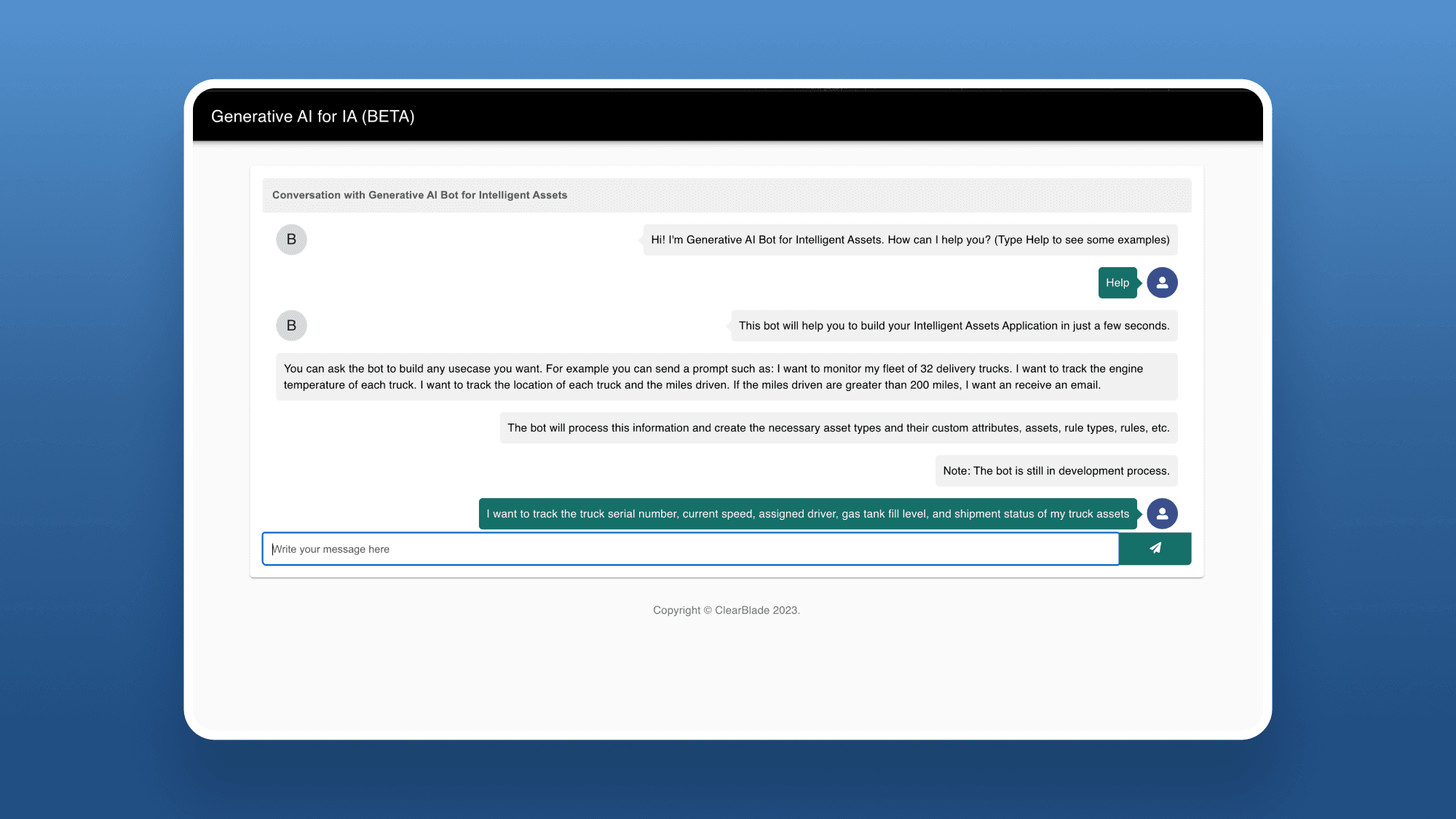
What we found gave us a clear picture of where to focus. The bot's language felt developer-facing rather than user-friendly (loading states read things like "Fetching Details." rather than something a non-technical admin would expect to see). The layout had several friction points: the chat container was too wide for a natural messaging experience, the bot's response bubbles appeared right-aligned like the user's own messages instead of distinctly left-aligned, and the text input was locked to a single line rather than expanding to fit longer prompts. There were also scattered grammar and formatting inconsistencies in the bot's scripted copy, and — perhaps most critically — no in-conversation guidance to help users understand what to say or do next at each step of the flow.

Audit Takeaways

01.

Overly technical language for the bot's script

02.

Misc. layout and styling issues

03.

Grammar and formatting could use improvements

Phase 2

Define

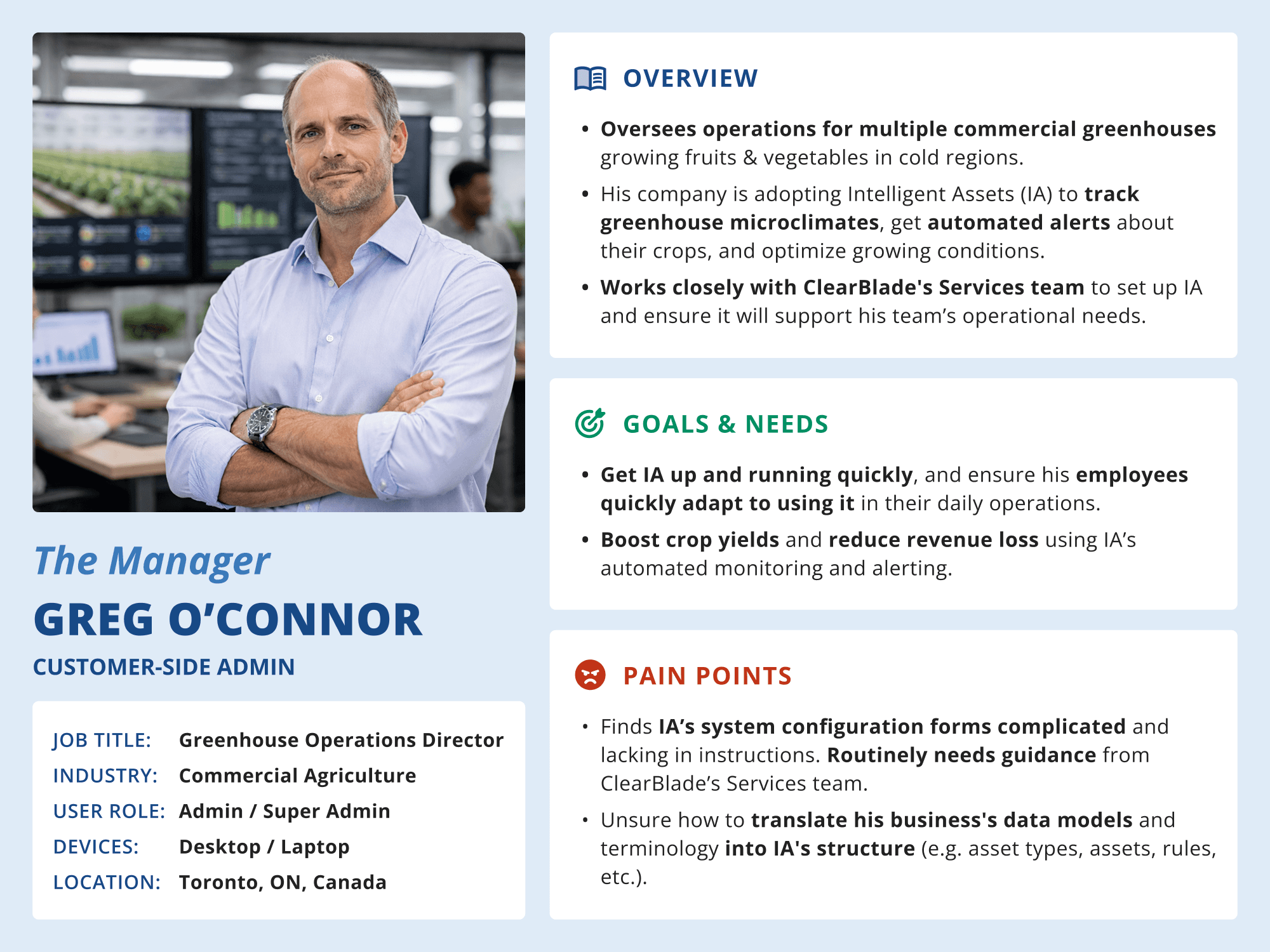
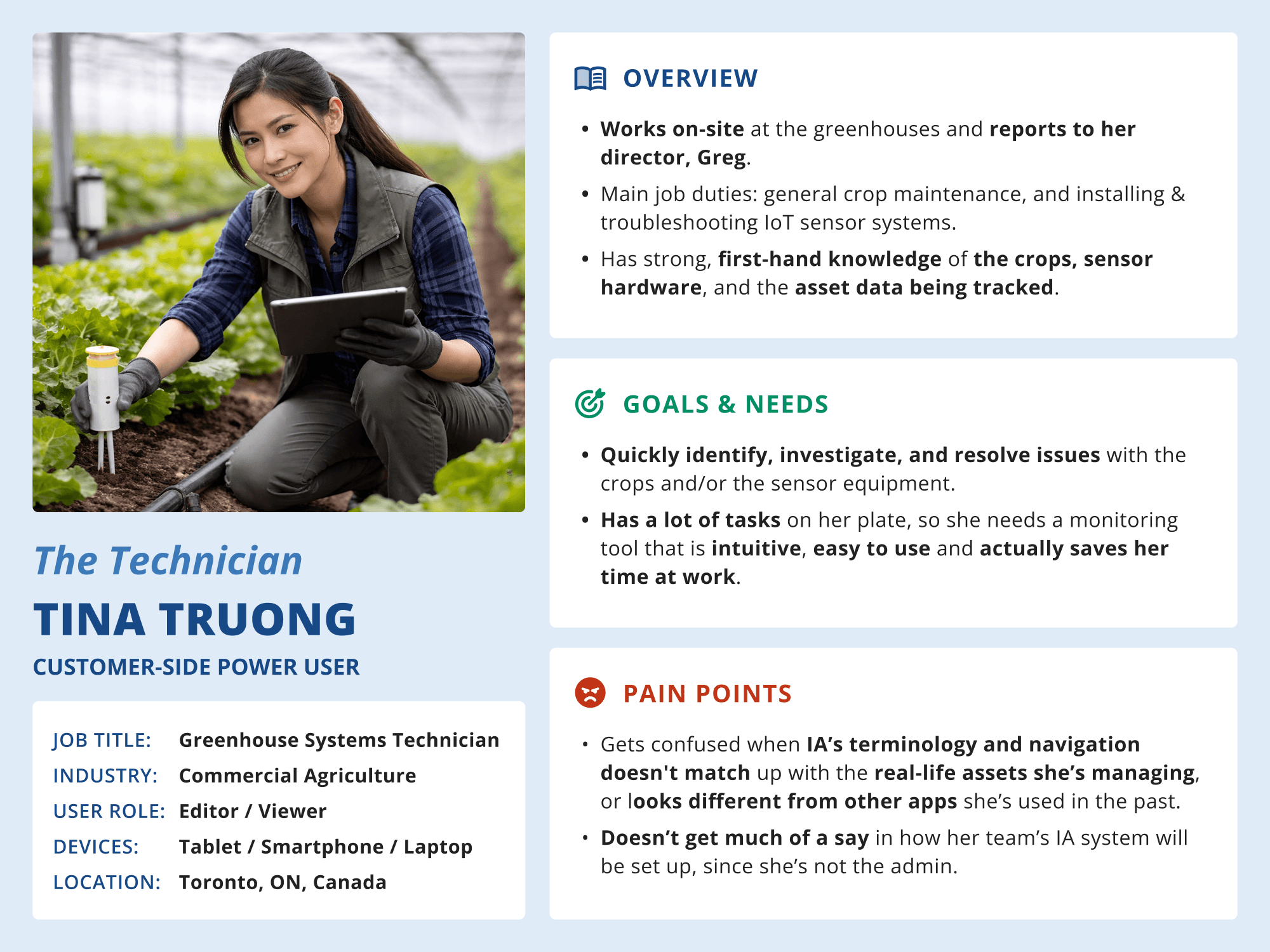
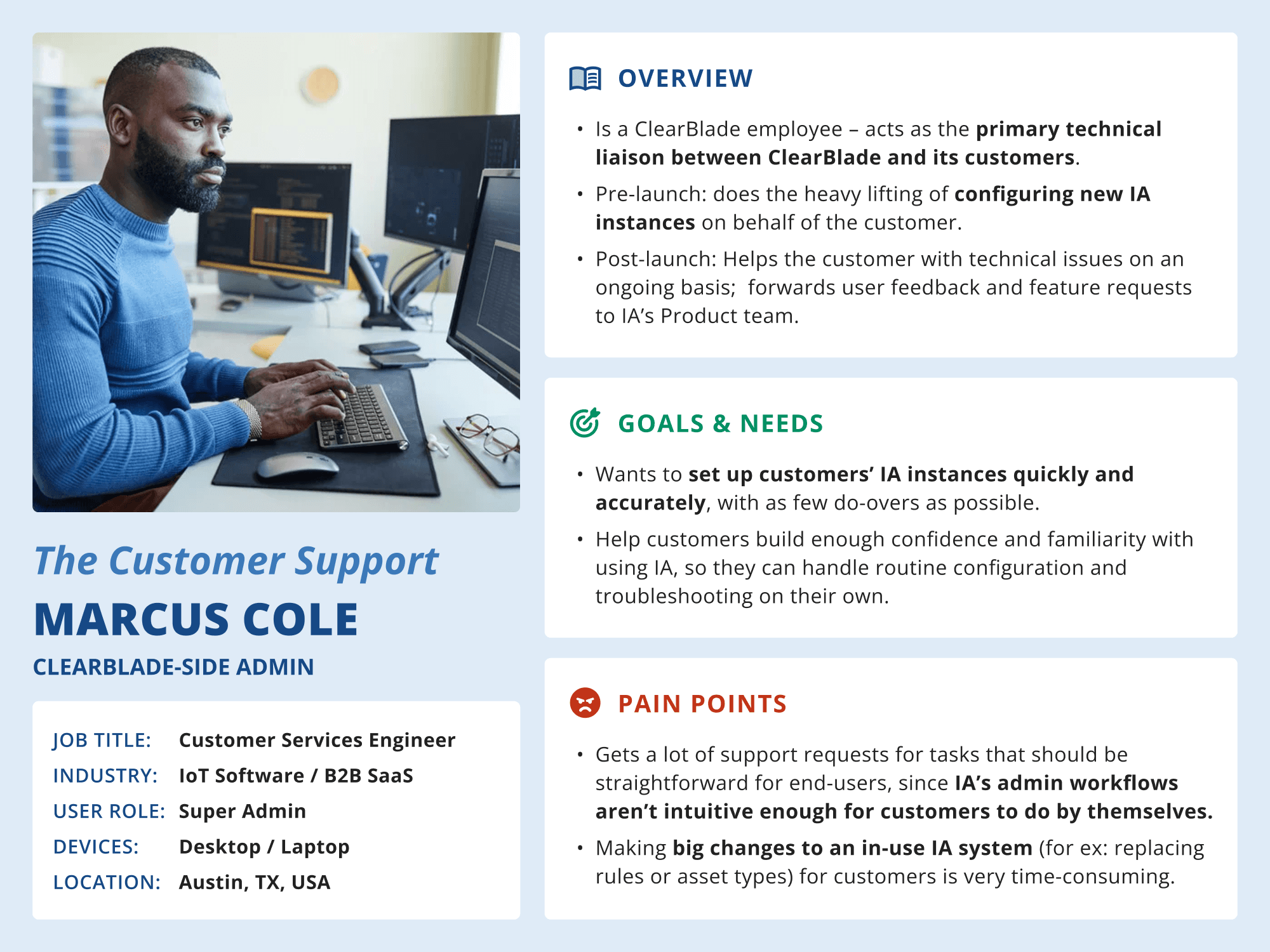
Role-Based Personas

We developed personas that represent the main user groups we expected to use the AI Assistant MVP's primary function: quickly generating new asset types, rules, event types, and other admin/set-up related content for a single Intelligent Assets system.

Generally, due to how customizable IA inherently is, there can be any number of user roles, each with their own unique combination of user permissions. Additionally, users can be assigned to one or many groups, which can be put into custom parent-child trees to help further classify users based on their real-life teams & job functions.

Therefore, there can be any number of user types that could eventually encounter this AI Assistant feature within IA. However, since the scope of the MVP focused primarily on admin-related actions for setting up/configuring the larger blueprint content for a particular IA system, we identified the following main role-based personas:

Click to Expand

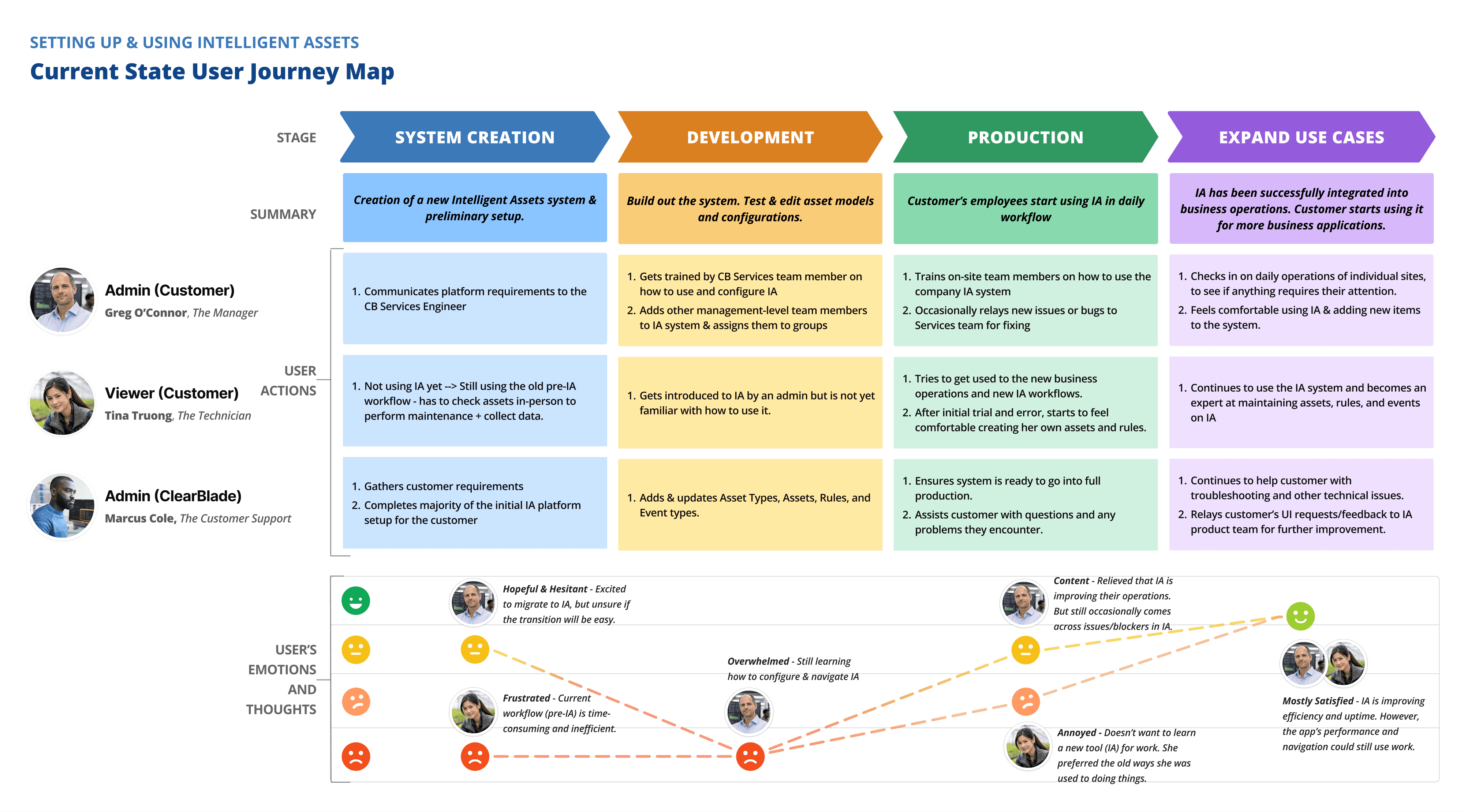
Current-State Journey Mapping

Before jumping into solutions, we needed to step back and look at the bigger picture. We mapped the end-to-end experience of setting up and using Intelligent Assets before the AI Assistant existed, tracing the actions, frustrations, and emotional states of all three key user personas at each stage of the process. It was a valuable exercise in building shared team alignment — making visible just how steep the climb was for new customers, and pinpointing exactly where the AI Assistant had the greatest opportunity to make a difference.

Phase 3

Ideate

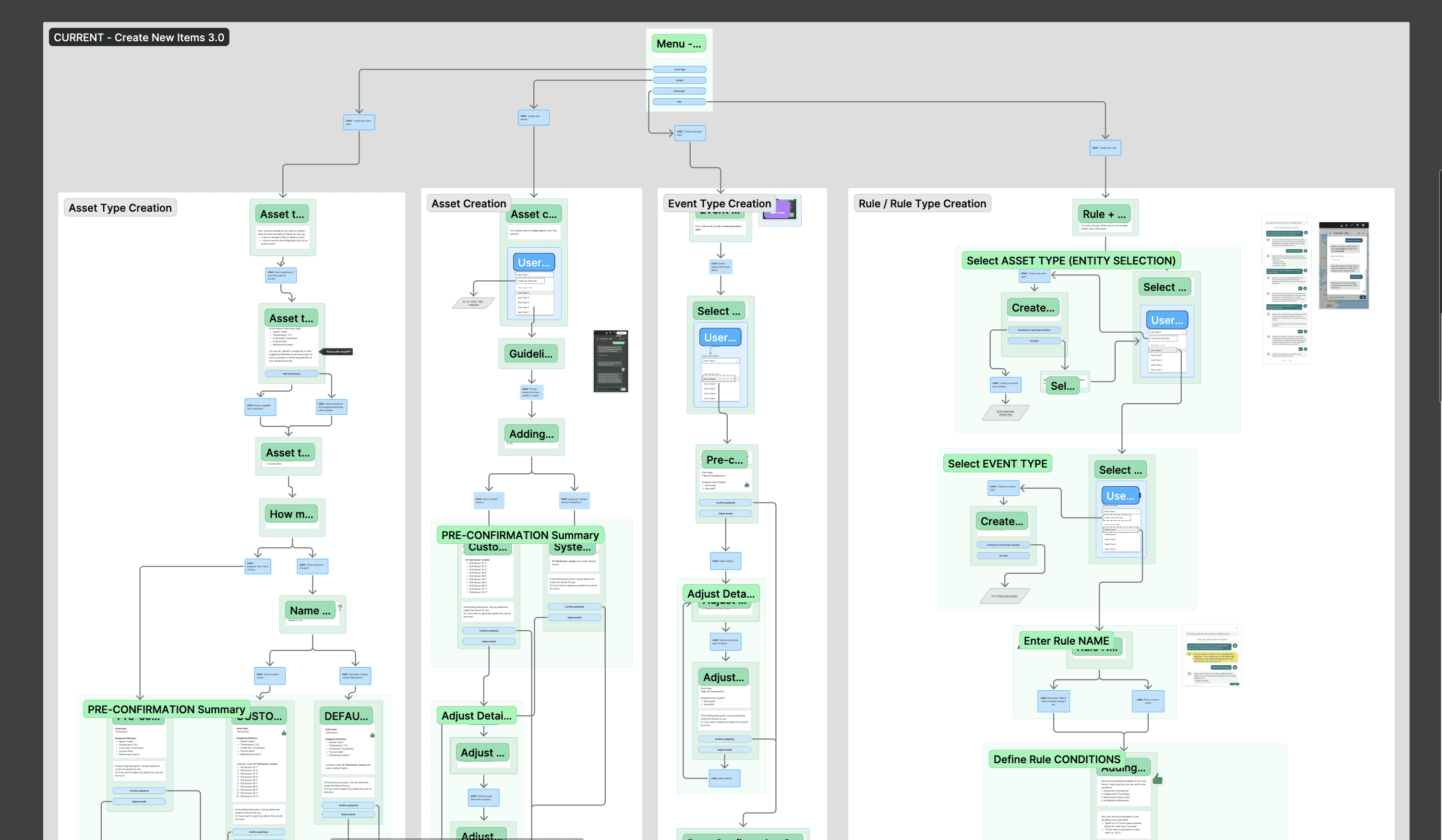
UI Copy Flowchart

UI Copy Flowchart One thing that became clear early on was that the AI Assistant's "voice" wasn't going to be purely AI-generated — far from it. While the LLM took over when processing users' natural-language prompts (like "I want to receive emails whenever a soil sensor's temperature drops below 50°F"), there were many touchpoints throughout the conversation flow where we had direct control over what the assistant said. And those scripted moments mattered enormously: they set the tone, guided users through each step, and determined whether the whole experience felt intuitive or confusing.

So we rebuilt the assistant's script from the ground up. We revised the copy extensively and created a detailed conversation flowchart — a key deliverable for the dev team — mapping exactly what the assistant would say at each step, which quick-select chip options would be available to the user, and how each scripted message connected to the LLM's expected output. It was a highly collaborative process, requiring constant back-and-forth with the developers to make sure everything held together across both the scripted and AI-generated parts of the conversation.

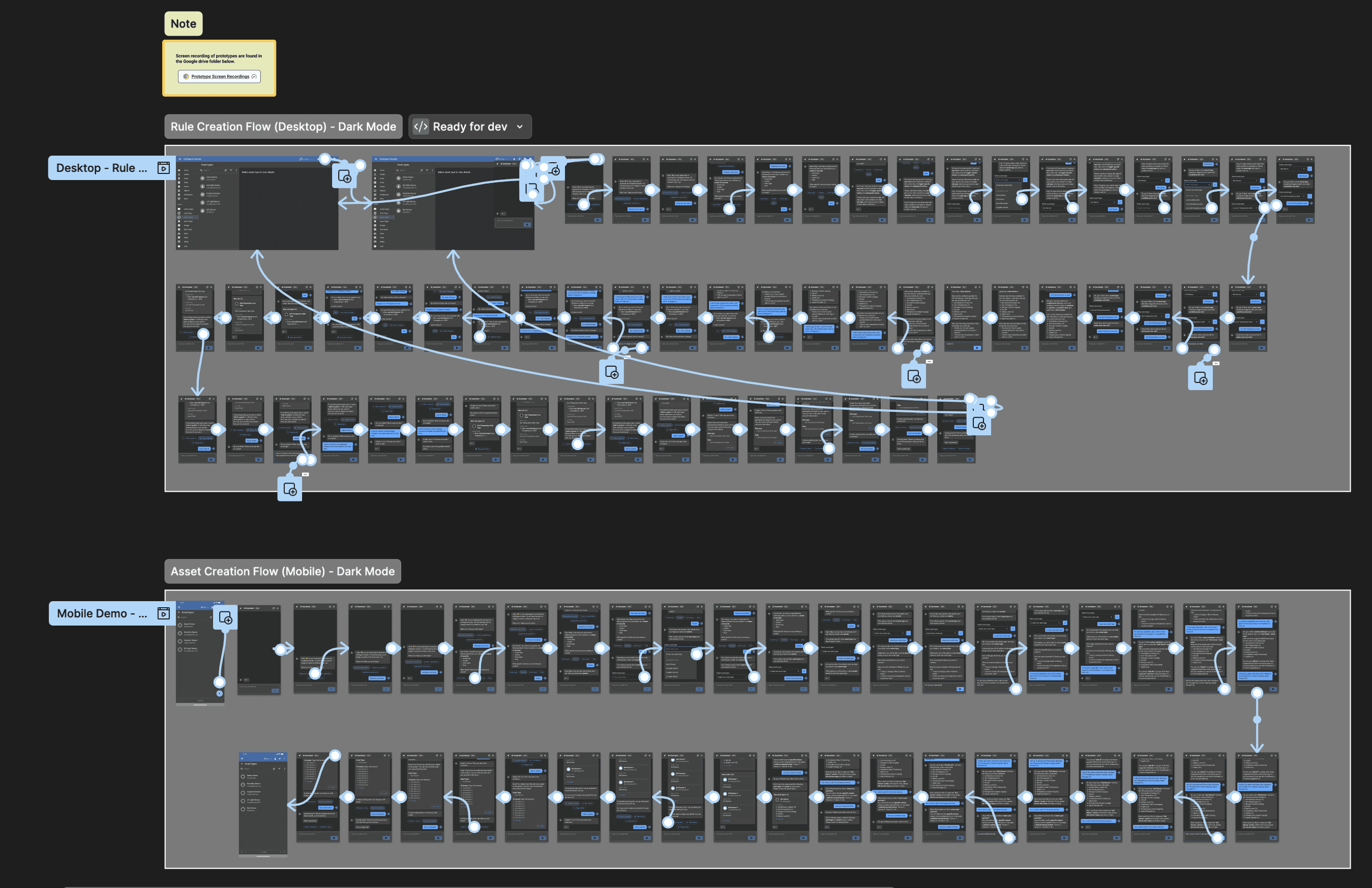
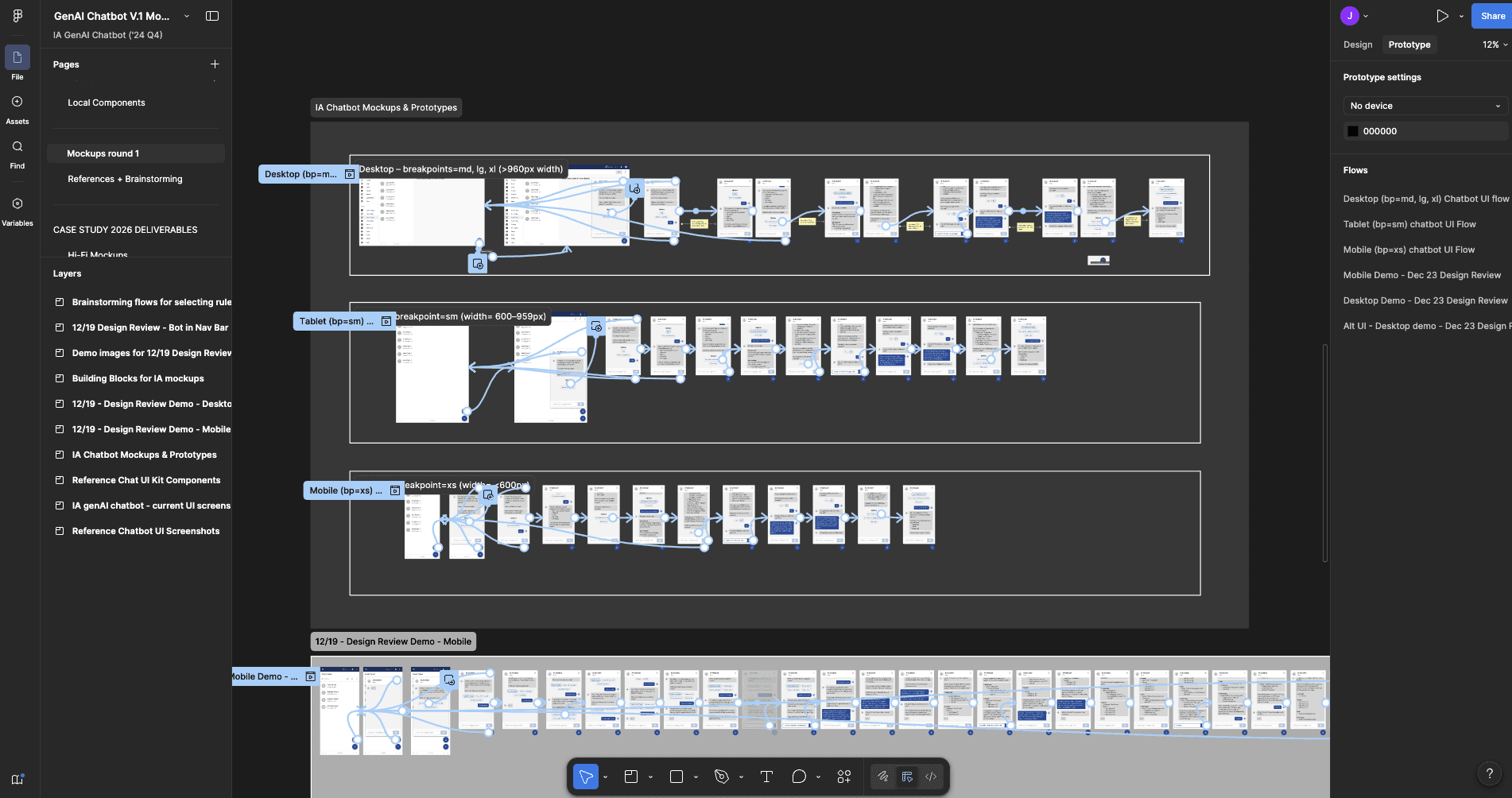
Ideation, Mockups, & Prototyping

Our design process was iterative by necessity — and honestly, better for it. We moved through multiple rounds of UI explorations, regularly bringing our top concepts to stakeholder design reviews and refining based on what we heard. When specific questions about user needs or real-world edge cases came up, we tapped our internal Services team, who had invaluable firsthand knowledge of how customers actually interacted with the product. And throughout it all, we kept the dev team closely in the loop — checking in regularly to make sure our designs were staying aligned with the AI model training and the technical realities of the build.

Phase 3: Title 3

Phase 3: Content 3

Phase 4

Phase 4: Main Title

Phase 4: Title 1

Phase 4: Content 1

Phase 4: Title 2

Phase 4: Content 2

Phase 4

Deliver

Dev Handoff

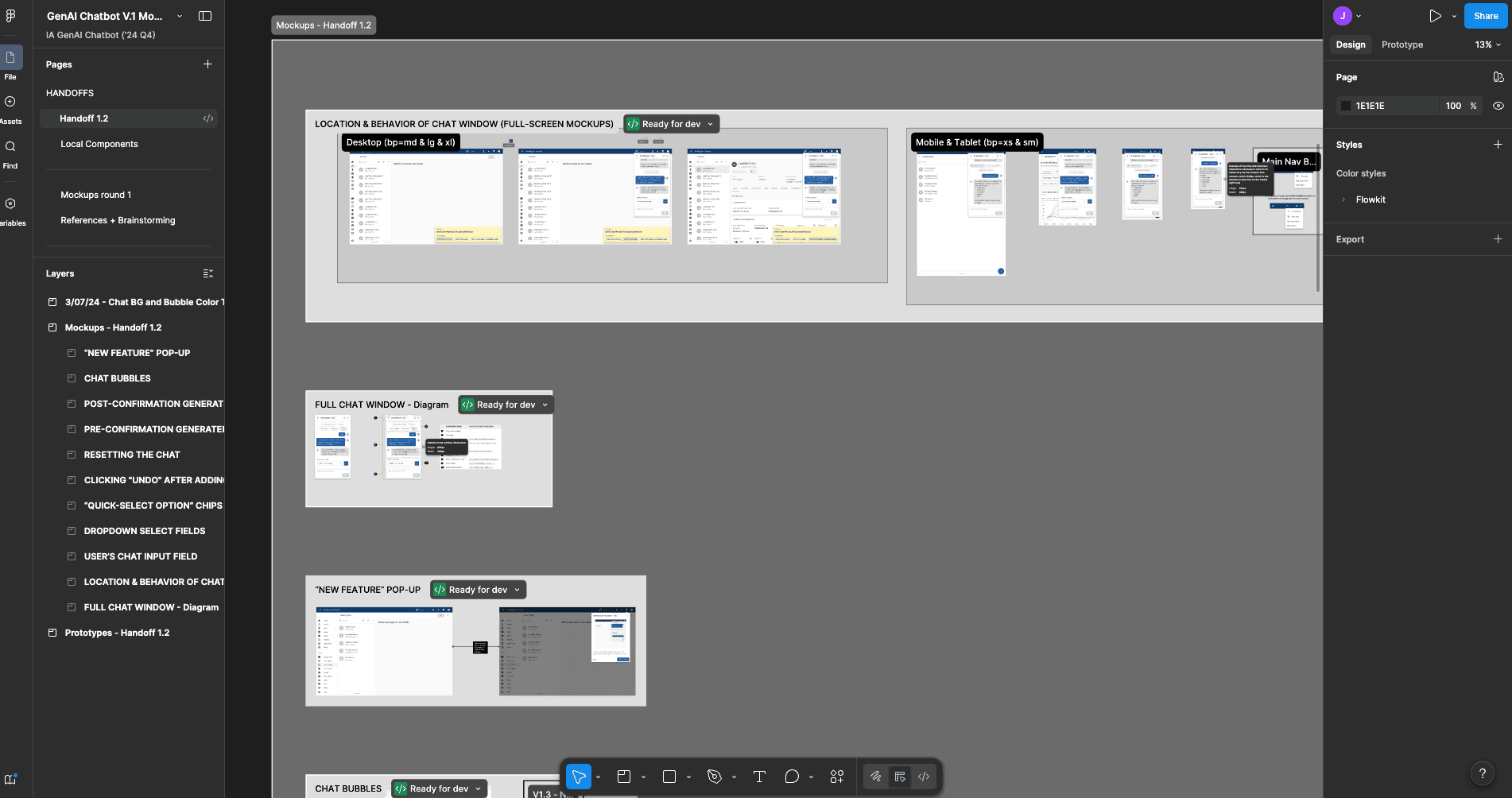
Because the AI dev team had less front-end UI experience than the engineers we typically partnered with, we made a deliberate choice to be more explicit and thorough than usual in our handoff. In Figma, we built out detailed annotations covering our application of the Material UI design system, specific typography and color theme guidance, responsive layout behavior at key breakpoints, and interaction notes for nuanced UI behaviors. A master handoff document in Confluence tied everything together with organized links to each section, while timestamped comment threads in Figma gave the team a clear channel to ask follow-up questions and kept a record of any post-handoff design changes. We also held a recorded walkthrough session with the dev team to orient them to the handoff materials in person. Once the build was complete, we conducted a post-development QA audit using Heurio to systematically log, prioritize, and communicate revision feedback — making sure nothing fell through the cracks before launch.

Final Design Solution — Key Features

The finished AI Assistant MVP addressed each of the original friction points we'd identified for our admin users–and in doing so, it transformed what had previously been an arduous system setup process into something users could actually complete with confidence.

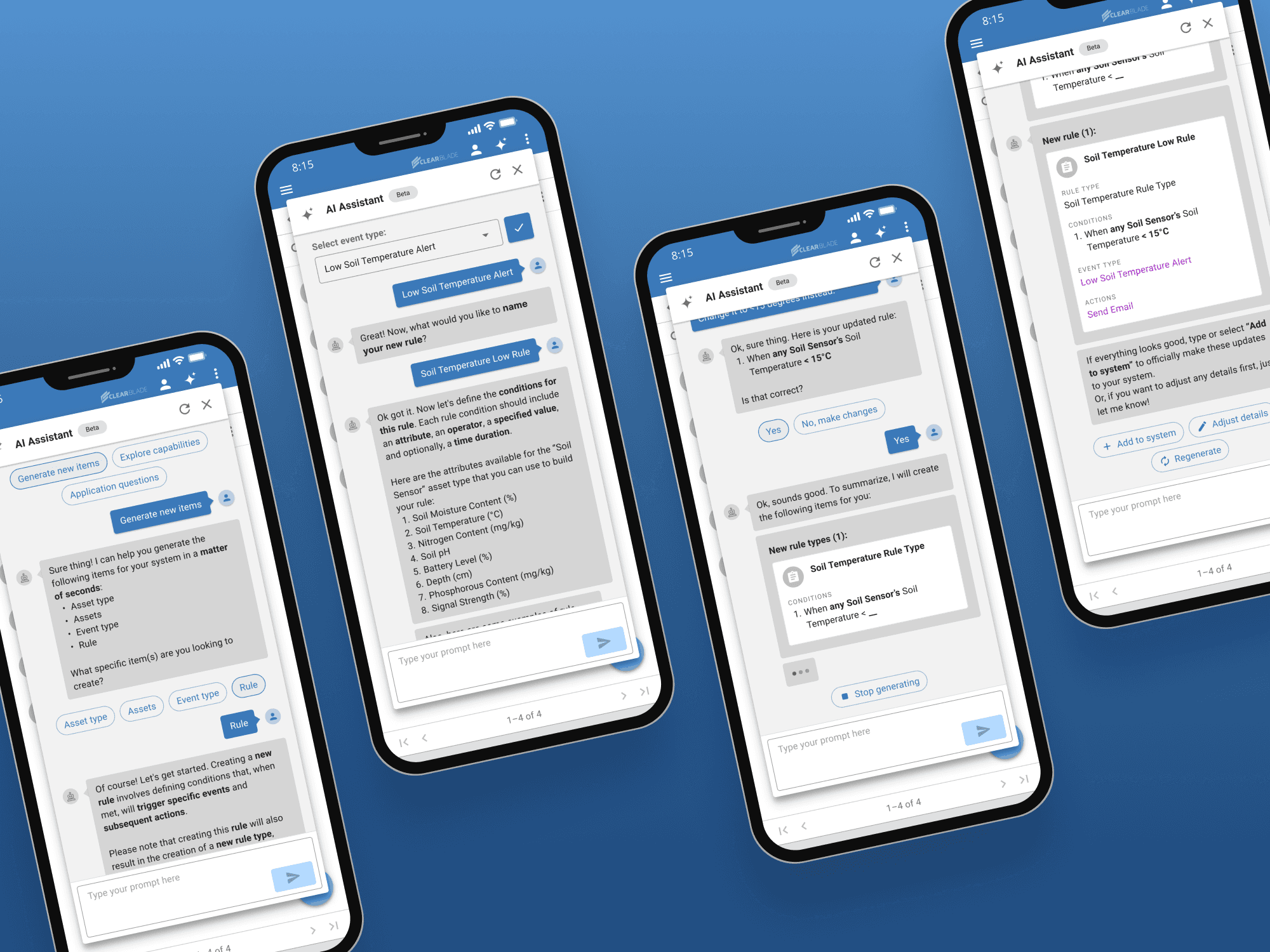
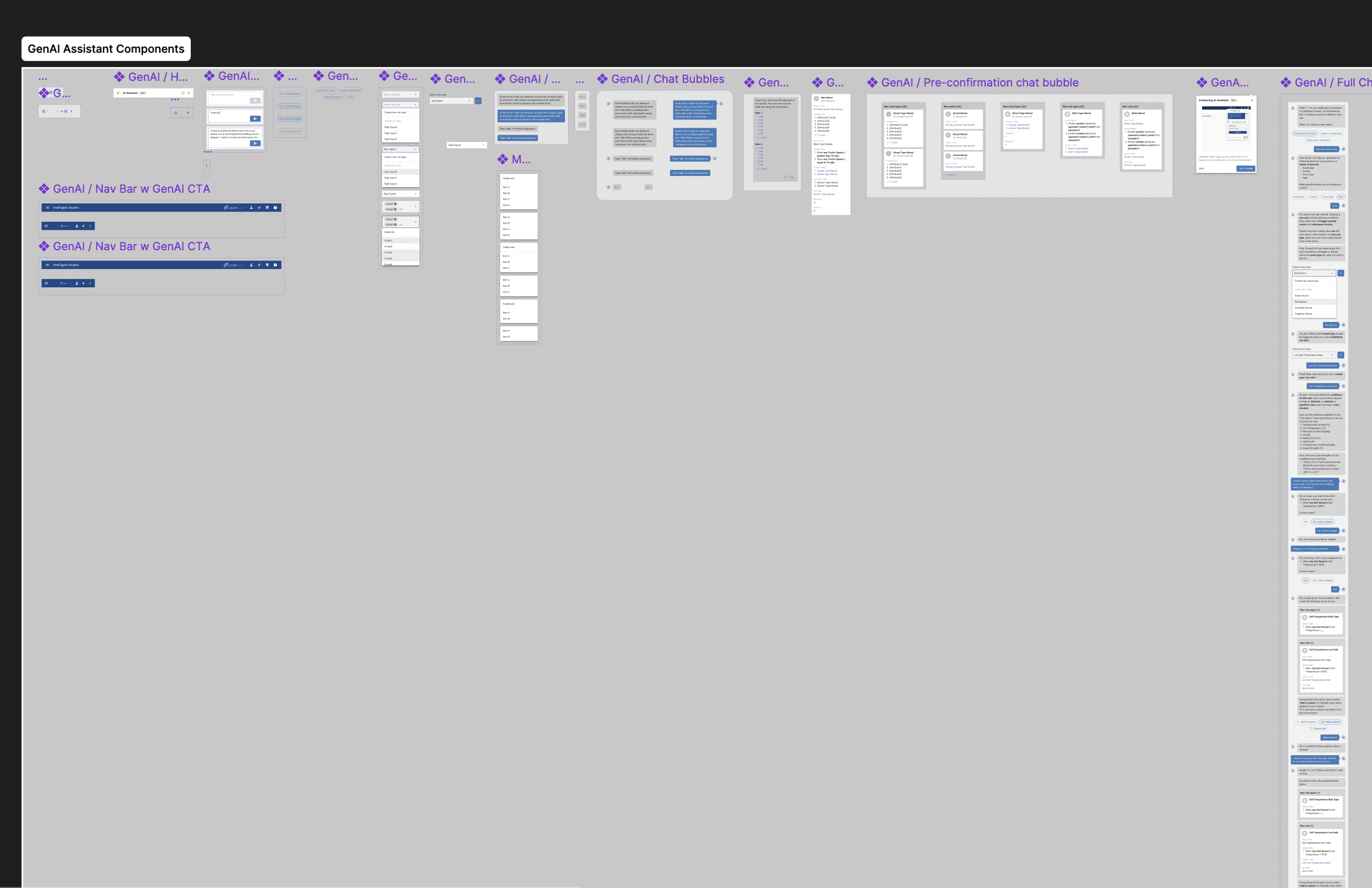
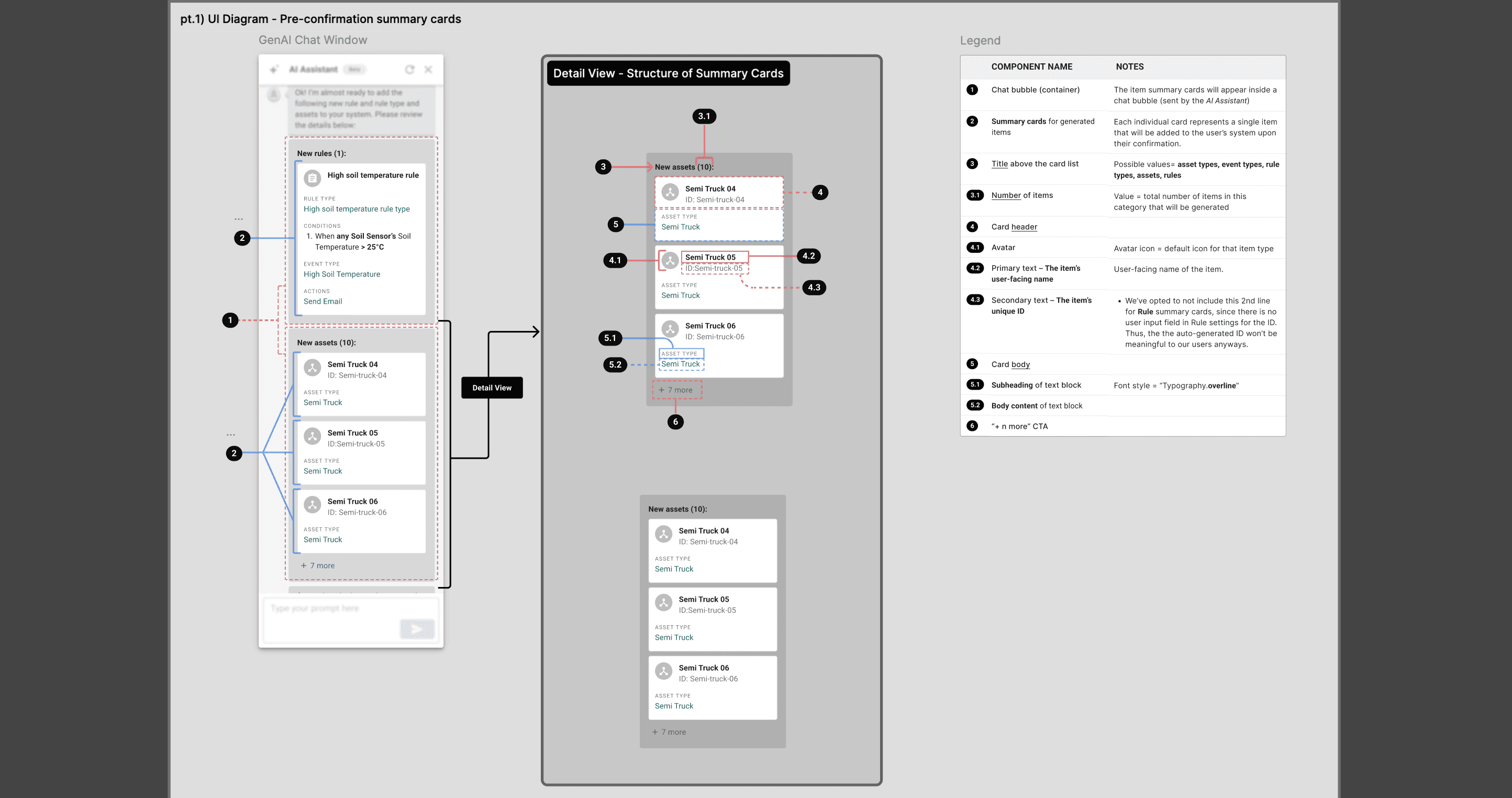
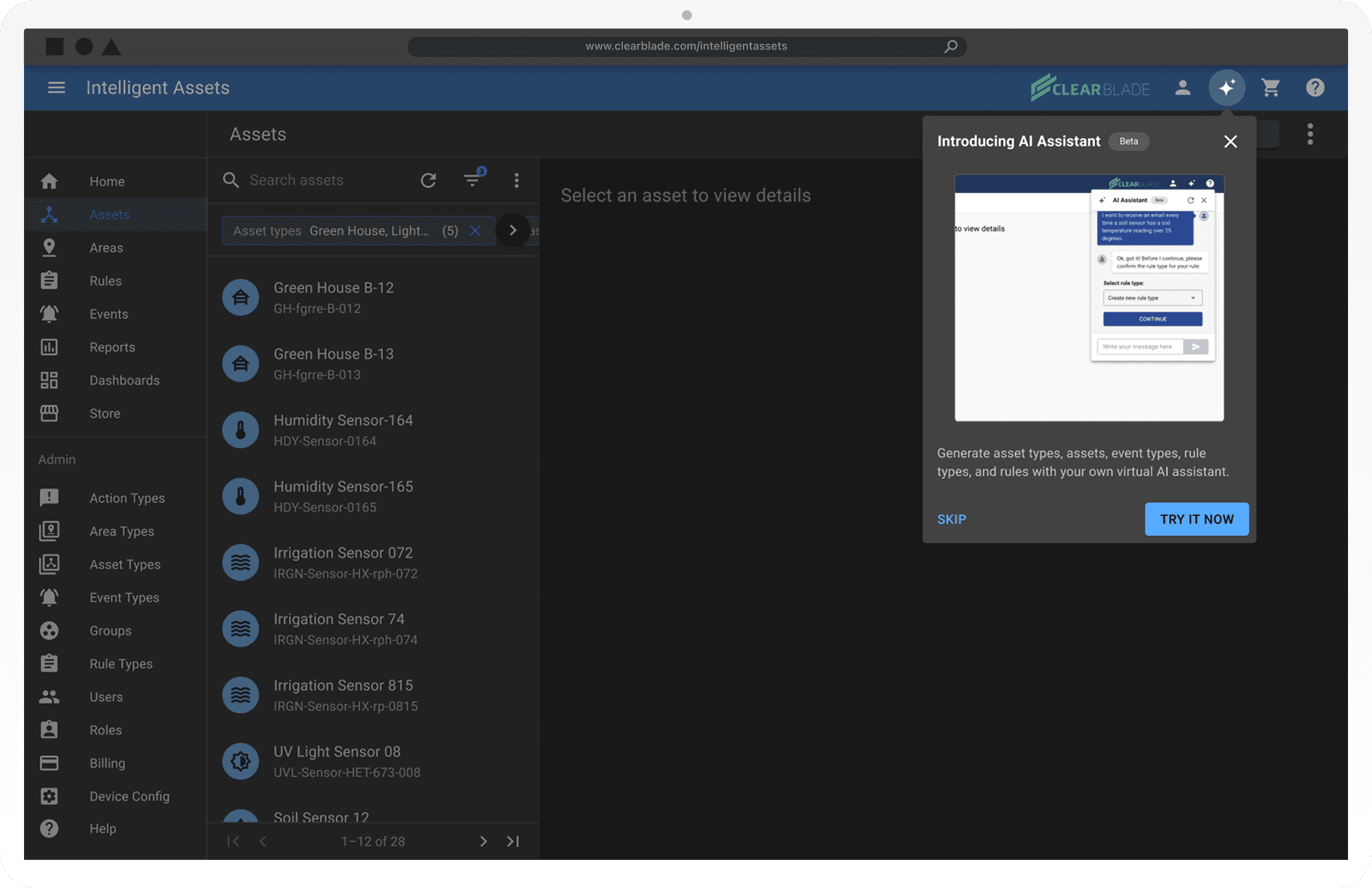
  • Renaming "AI Bot" to "AI Assistant" was a small but deliberate re-branding, positioning the feature as a collaborative partner rather than some detached, automated agent. The conversation flow was redesigned to feel natural and guided, with contextual quick-select chip buttons introduced at key decision points to help users move forward without having to guess what to say next. We also carefully designed for edge cases and error states, ensuring the assistant responded gracefully and helpfully when inputs were unclear or something went wrong. And the post-generation summary — the moment where users see everything that was just created on their behalf — was restructured for clarity and scannability, with organized component listings and clickable hyperlinks to navigate directly to each newly generated item.

Conclusion

Next Steps

  1. Expand the AI Assistant's functions to more than just asset type and rule creation.

  2. Possibly integrate an alternative AI Assistant in-line into settings forms

What I Would Do Differently Now

If I could start this whole project over from the very beginning, these are some of the things I'd change about how it all went down:

  1. Ideally, the design team would have been present during early product conception and strategy–BEFORE the developers actually started building the LLM models or the user interface.

  2. We would perform early research with actual customers to empirically discover our target users' gaps/needs. If we had gotten time to do up-front user/market research, maybe we would have even discovered that what our end-users wanted most from an AI Assistant was not generating assets and other system components, but perhaps help with things like generating summaries about their assets' key performance indicators, or creating visual reports about all the events that have occurred in each Area over the past fiscal quarter.

  3. Would have collaborated with the dev early on to make sure the LLM he built would actually be addressing the real user needs/goals identified by our research.

  4. If we could have been part of the early strategizing phase before the dev started ideating solutions, I would have conducted a lot more up-front user research/interviews.

But nevertheless,

The thing about user experience design is that it inherently relies on continuous iteration and aiming for that north star of "perfect" usability, where no user ever makes mistakes or struggles to complete their desired task in your app. However, if UXers are being honest with ourselves, that end-goal is impossible to get to, because every user is different, and comes with their own set of expectations and mental models on how they expect a feature to work. And products themselves are ever-changing, as the business must keep up with the evolving needs of their users too. So there never truly is a one-size-fits-all design that will satisfy everyone who uses it.

Click to Expand

Please reach out for a full walk-through of this case study!

Please reach out to view a full walk-through of this project

Please reach out for a full walk-through of this case study!